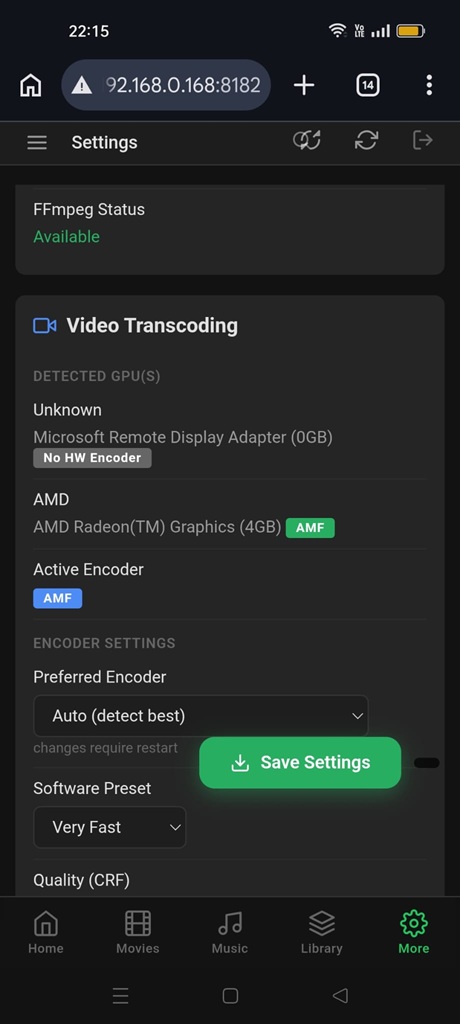
Everything your media needs.
A complete self-hosted media centre, movies, music, photos, books and more. All in one place, beautifully designed.
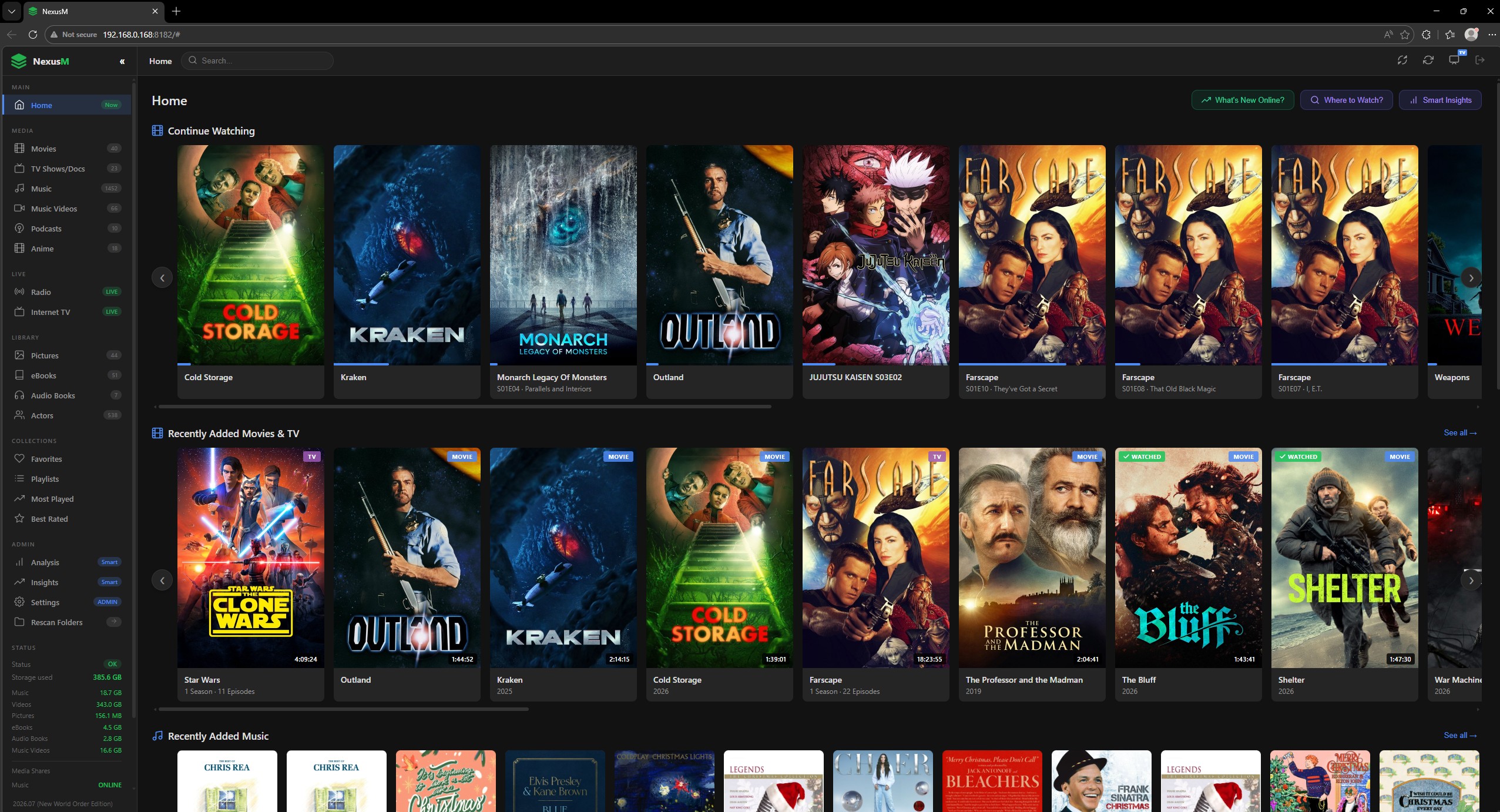
Your private streaming library, beautifully organised.
Browse your entire collection with beautiful posters, ratings, and summaries, fetched automatically. Stream right in your browser, on any device.
- Plays MP4, MKV, AVI, VOB, TS, WebM and more
- Auto-fetches posters, ratings & summaries from TMDB
- Real-time transcoding, any device, any file
- Filter & browse by genre, rating, year and more
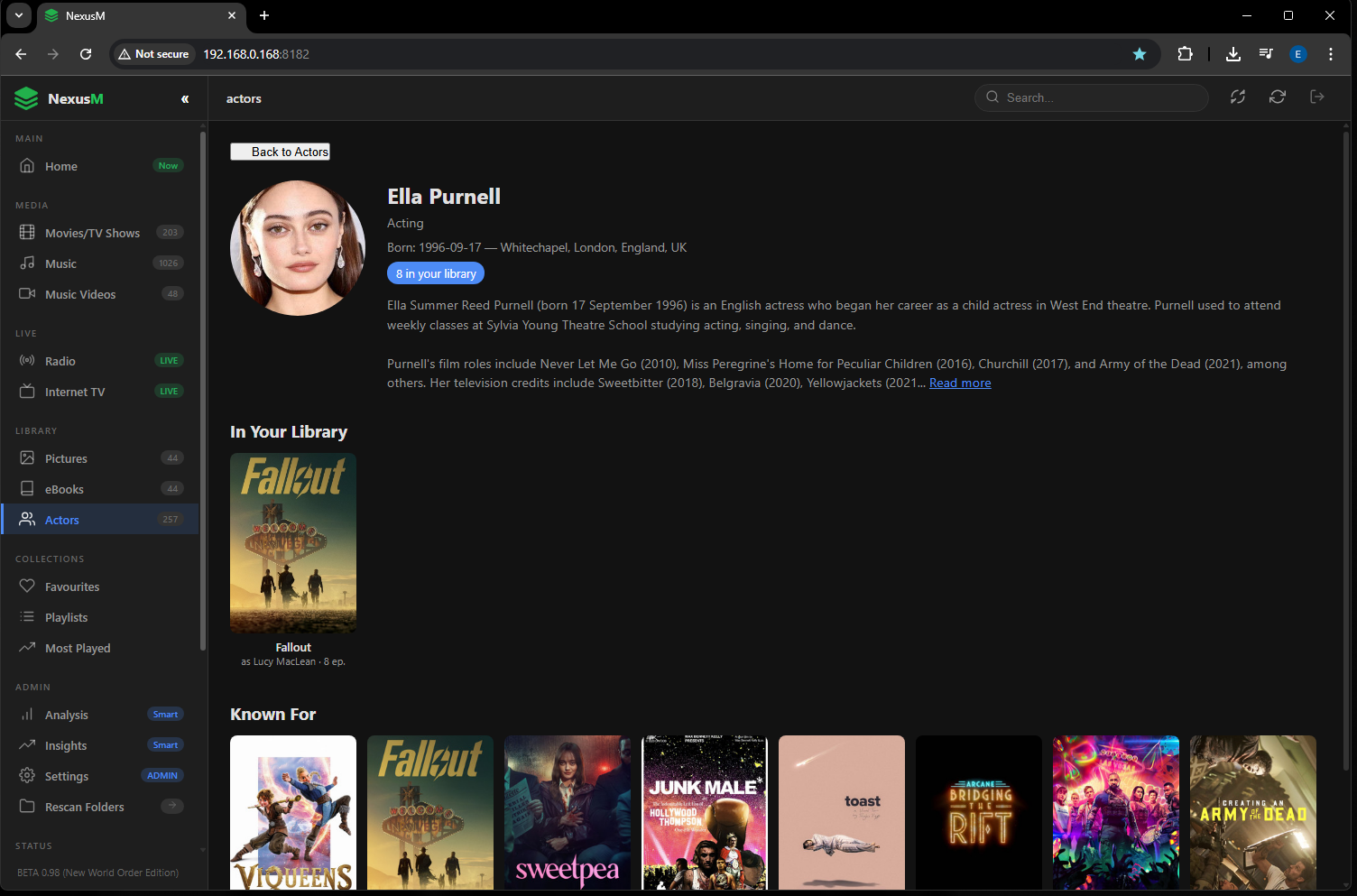
Know your cast. Deep actor profiles included.
Every actor gets a rich profile, biography, birthdate, known-for filmography, and a direct link to everything they appear in your collection.
- Full biography & filmography from TMDB
- Direct link to everything they star in your library
- High-res actor portraits fetched automatically
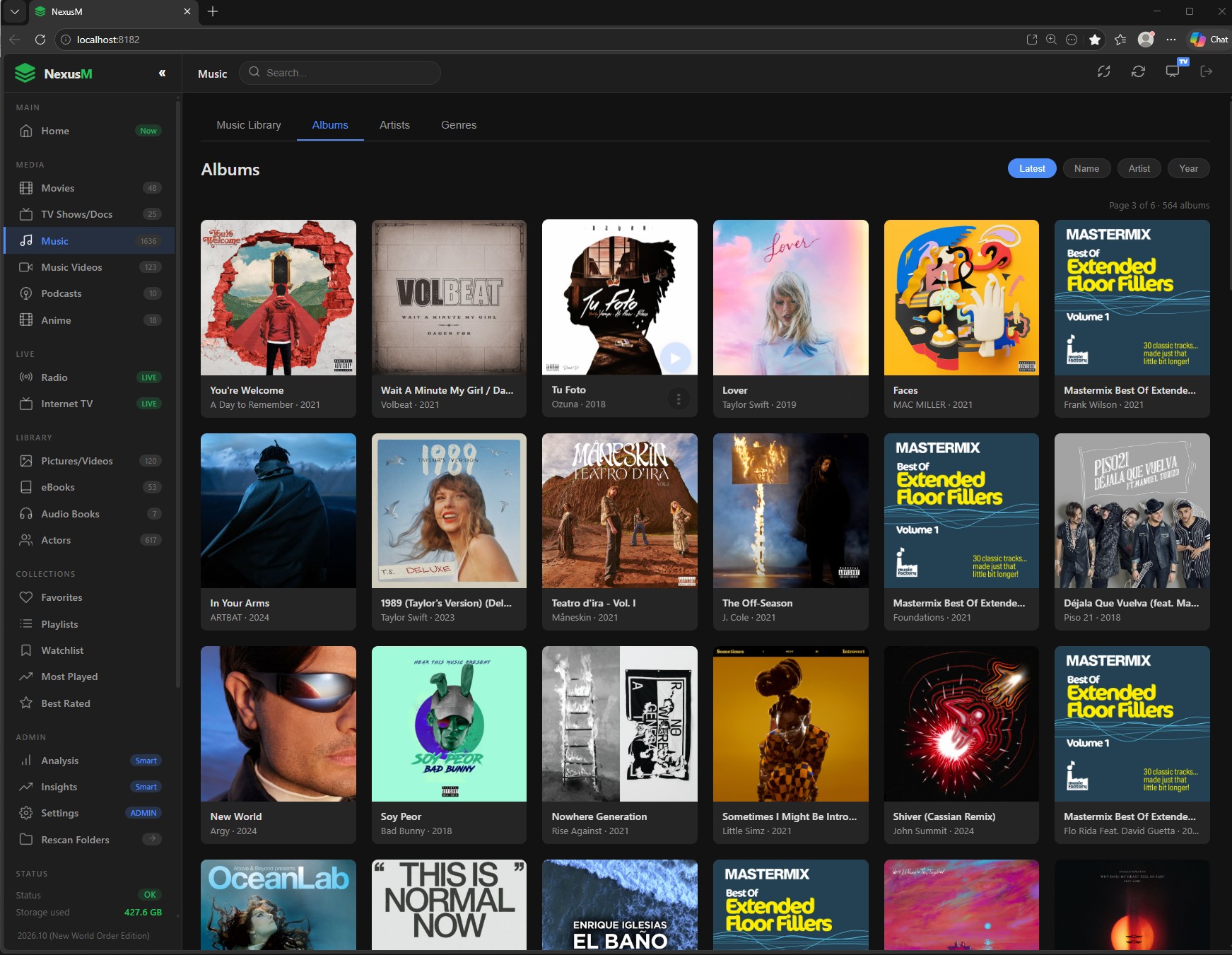
A music library that actually looks great.
Album artwork extracted automatically. Browse by artist, album, or track and play instantly in any browser.
- MP3, FLAC, AAC, OGG, WAV and more
- Auto-extracts embedded album artwork
- 70+ internet radio stations built-in
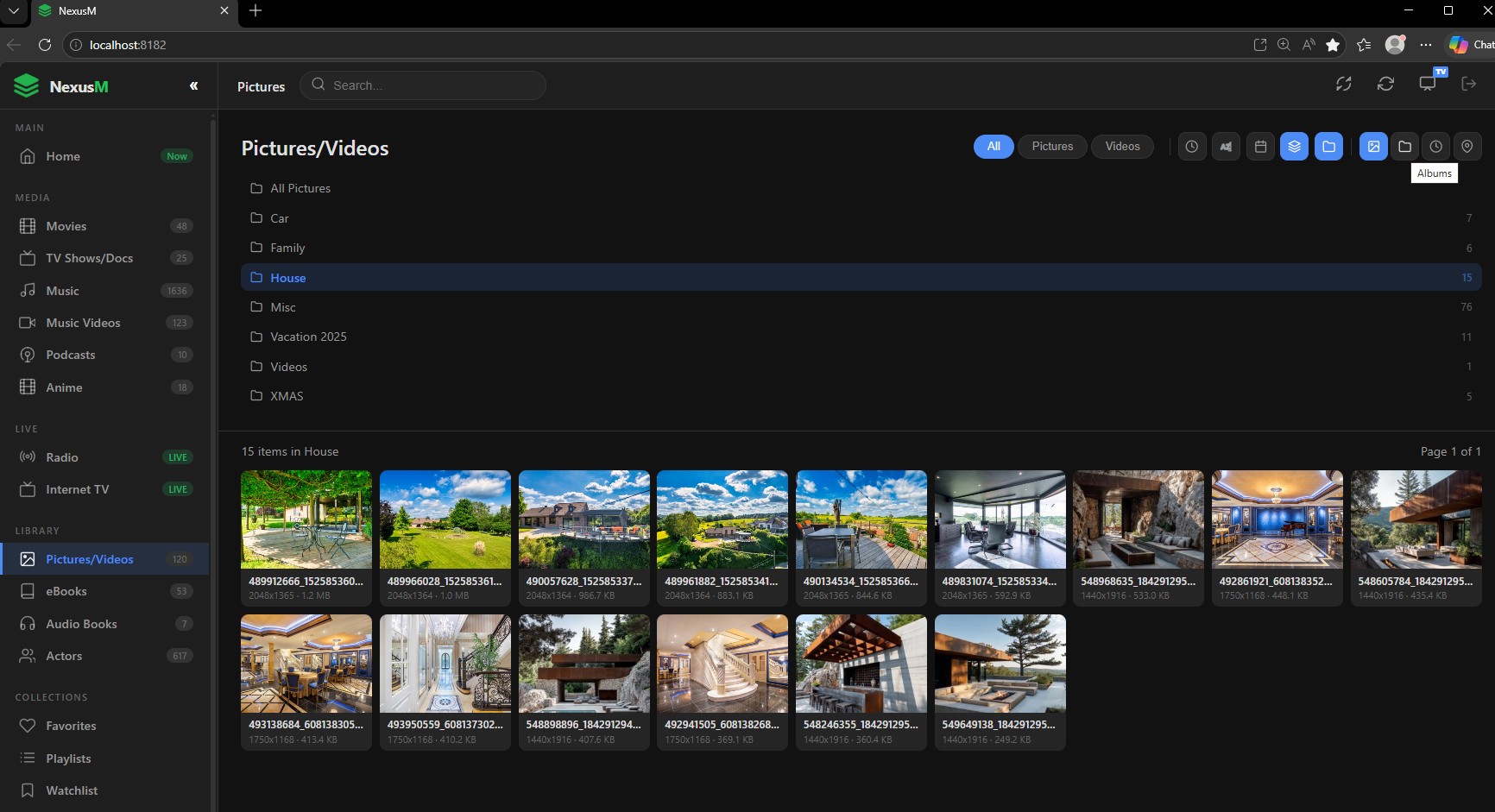
Your memories stay on your hardware. Forever private.
Fast gallery, no cloud uploads, no third-party access. Your photos never leave your home server.
- JPG, PNG, GIF, BMP, WebP and more
- Fast thumbnail grid with full-size viewer
- Zero cloud - 100% self-hosted
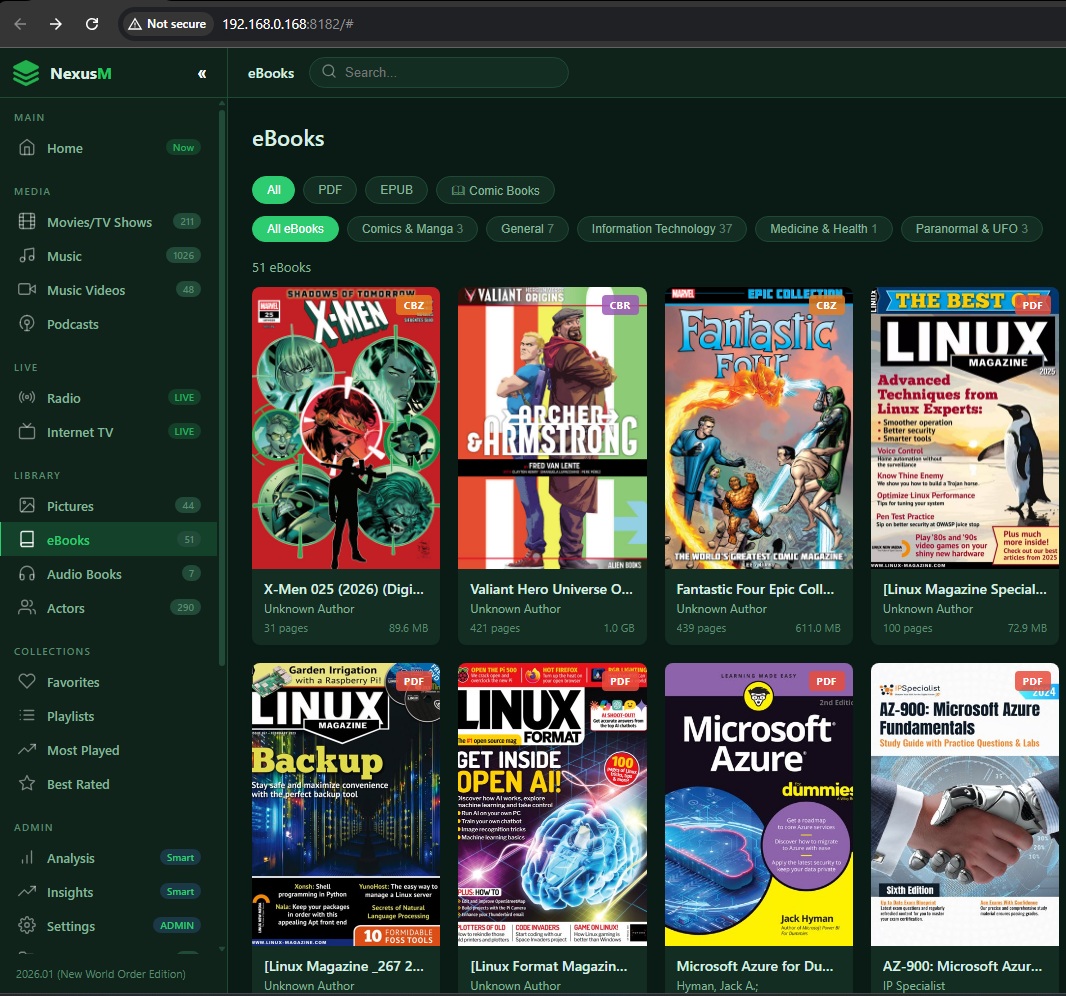
Your digital bookshelf, always at hand.
PDF thumbnails generated automatically. Read ePUBs directly in your browser, no extra app needed.
- PDF with auto-generated cover thumbnails
- Built-in ePUB reader in your browser
- Fully self-hosted, no accounts required
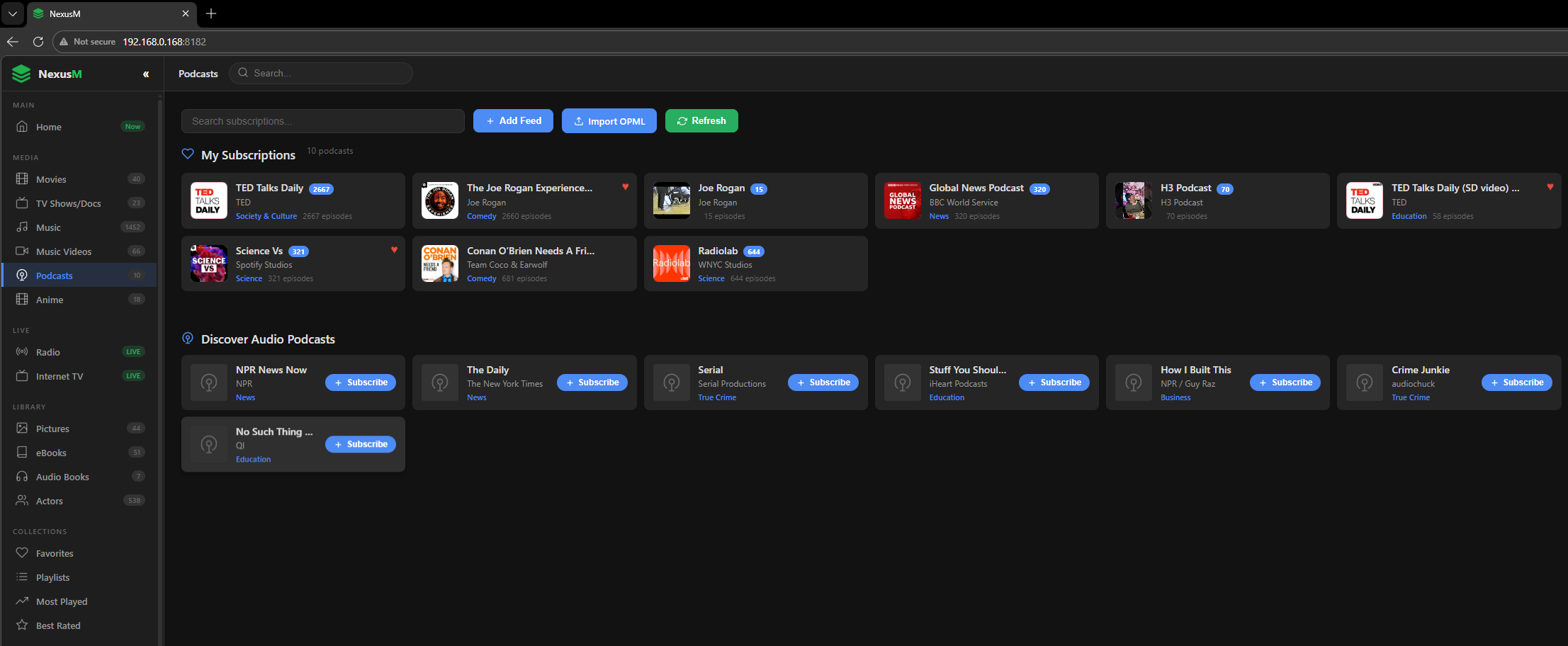
Audio & Video Podcasts.
Import your podcast subscriptions via OPML or add feeds manually. Supports both audio and video podcasts.
- Import your existing subscriptions by uploading an OPML file.
- Manually add any RSS podcast feed with a single URL.
- Supports both audio and video podcast formats.
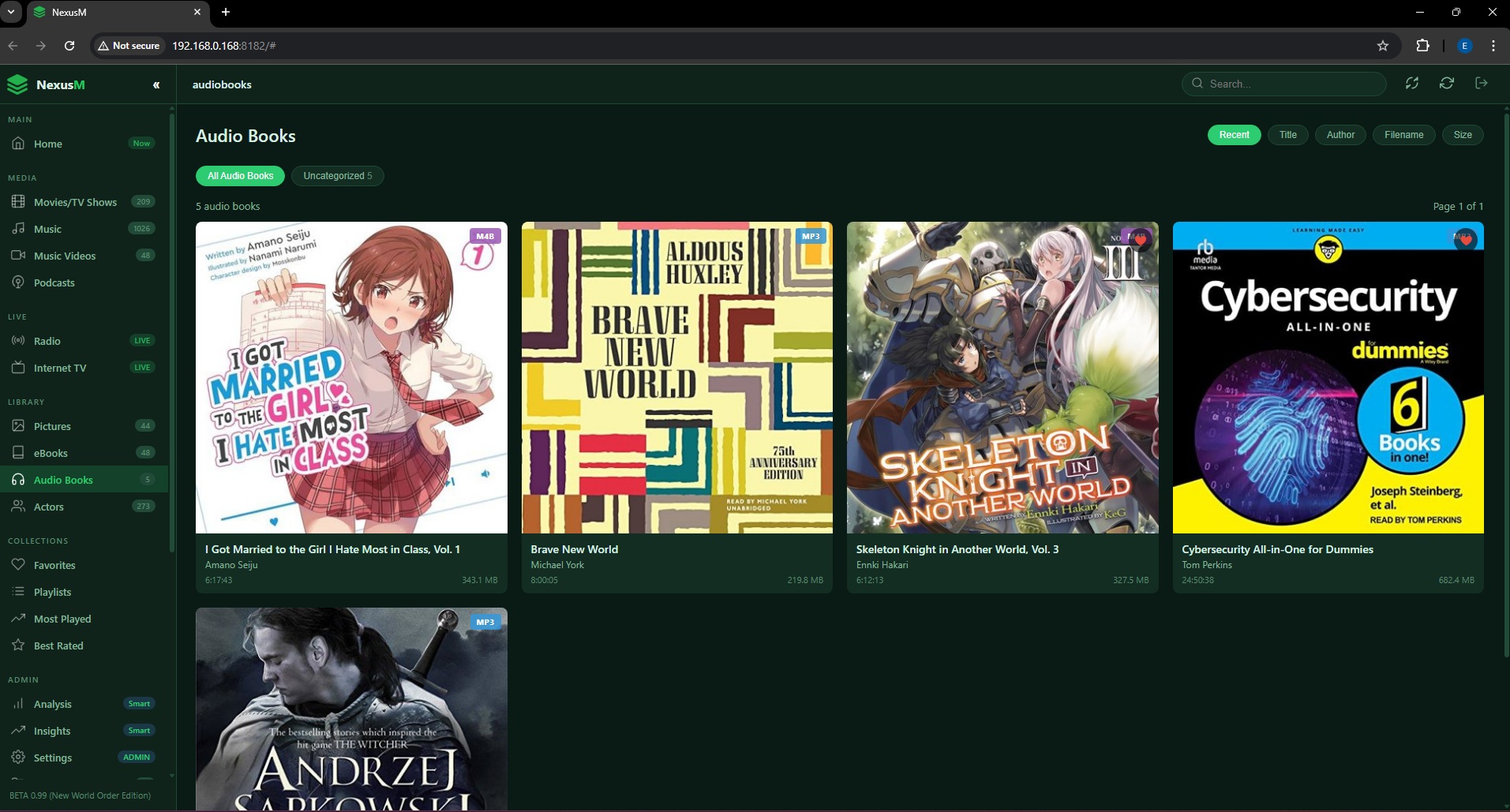
Your Audio Book Library.
Import Audio Books in M4B or MP3 format with its own dedicated scanning function and folder management.
- Supports M4B and MP3 audio book formats.
- Dedicated scanning function with its own folder configuration.
- Automatically organizes your audio book collection on import.
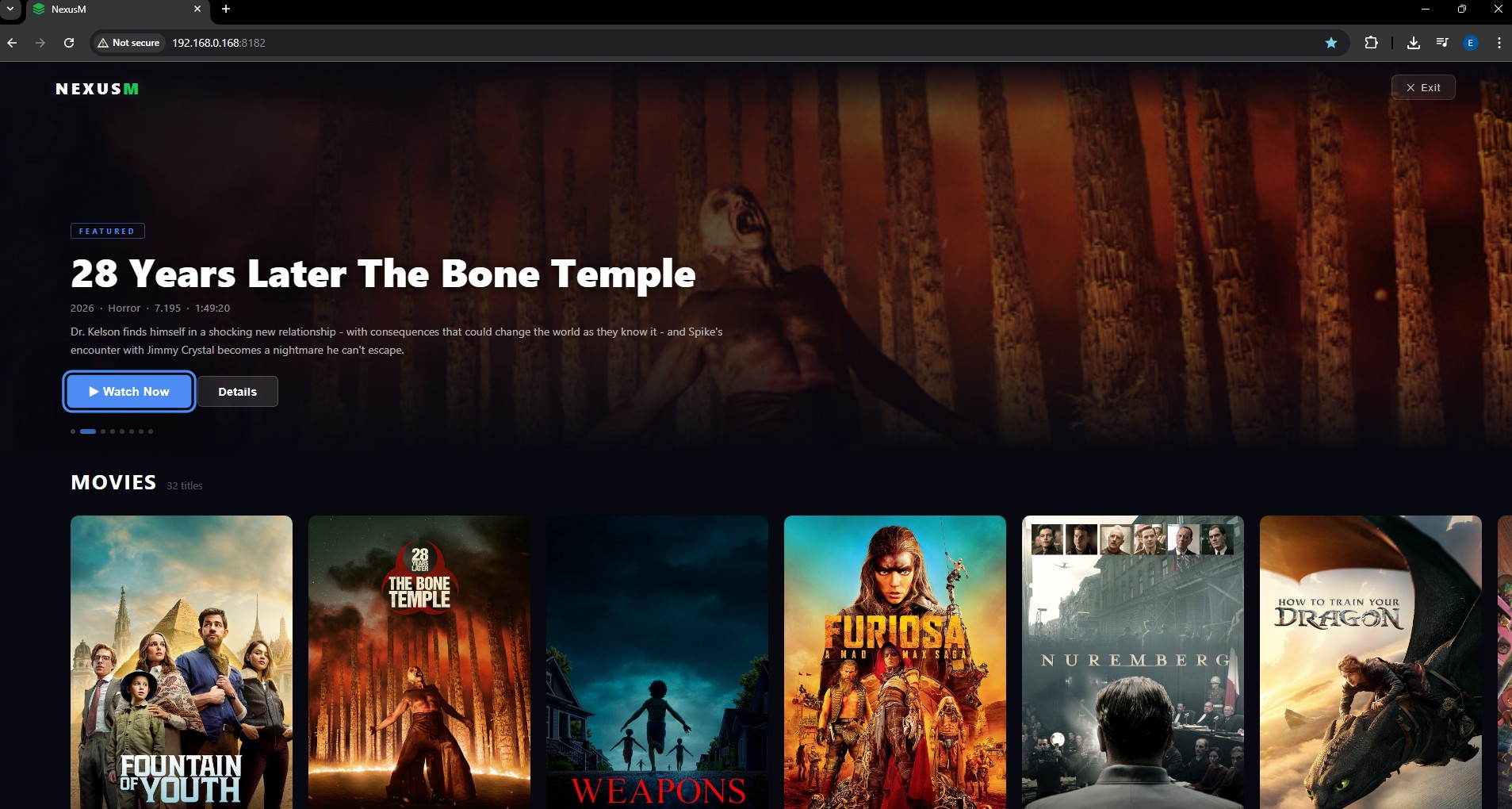
Turn any browser tab into a full-screen TV experience.
Go Big Mode transforms NexusM into a lean-back, remote-friendly interface - hero carousels, documentary detail panels, and full-screen video playback, all navigable without a mouse.
- Hero carousel with backdrop art for movies, series & documentaries
- Keyboard navigation - arrow keys, Enter, Escape, F for fullscreen
- Auto-hiding UI controls - clean 10-foot viewing experience
- Music playlist rows - launch Nightclub Mode directly from the grid
- Built-in web remote - open NexusM on your phone and it auto-becomes a touch remote, no app needed
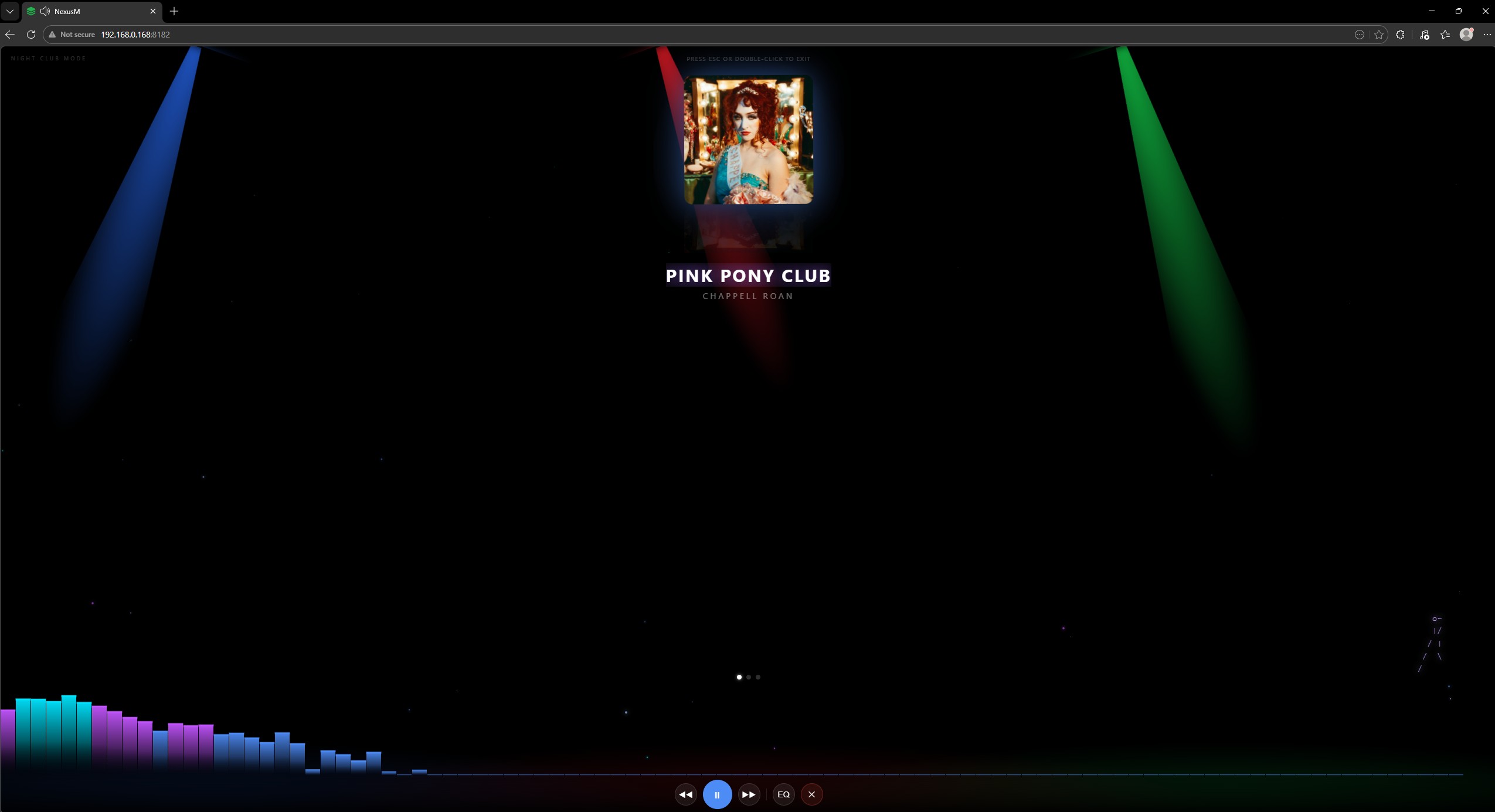
Full-page music visualizer with animated light beams.
Party mode for your living room. Nightclub Mode fills the screen with a canvas visualizer, pulsing album art, and animated light rays while your playlist shuffles in the background.
- Canvas-based audio visualizer with colour-shifting beams
- Large album art display with smooth cross-fade
- Auto-shuffles entire playlist; F key for true fullscreen
- Launch instantly from Go Big grid or music playlists
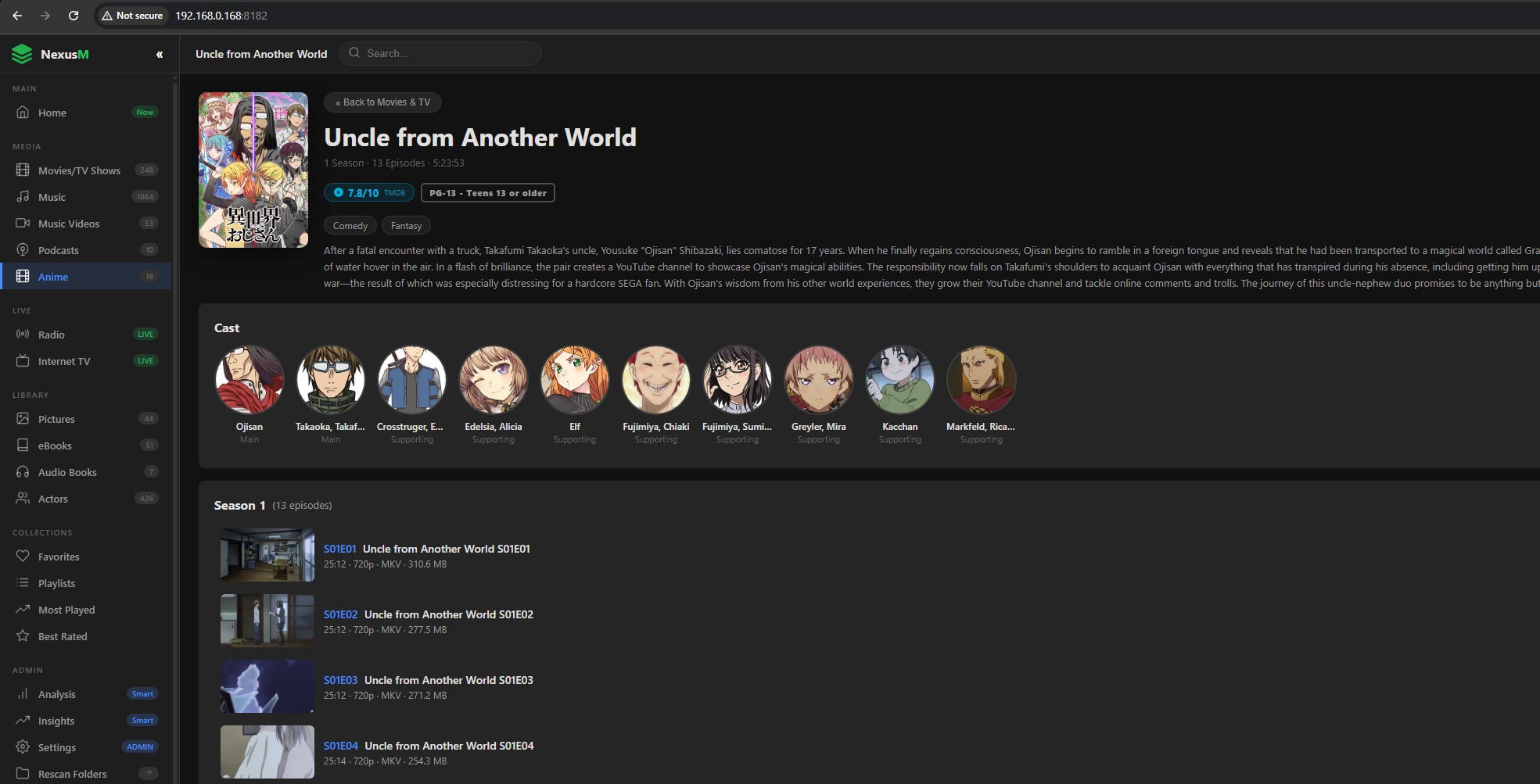
Full Anime library with MyAnimeList metadata, series grouping & episode navigation.
NexusM now includes a dedicated Anime section powered by the Jikan API (MyAnimeList). Series are automatically grouped from your files - one card per show, click to browse seasons and episodes, with full artwork, ratings and synopsis fetched automatically. No API key required.
- Automatic series grouping - episodes grouped into one card per show, just like TV series
- MyAnimeList metadata via Jikan - poster art, synopsis, genres, score and age rating, fetched automatically on scan
- Prev / Next episode navigation arrows and 10-second autoplay countdown between episodes
- Character artwork cached locally - character cards with role and portrait for each series
- Supports standard filenames - Series Name S01E12.mkv and common fansub patterns
- Separate scan, separate folder config - keeps your Anime completely isolated from your Movies & TV library
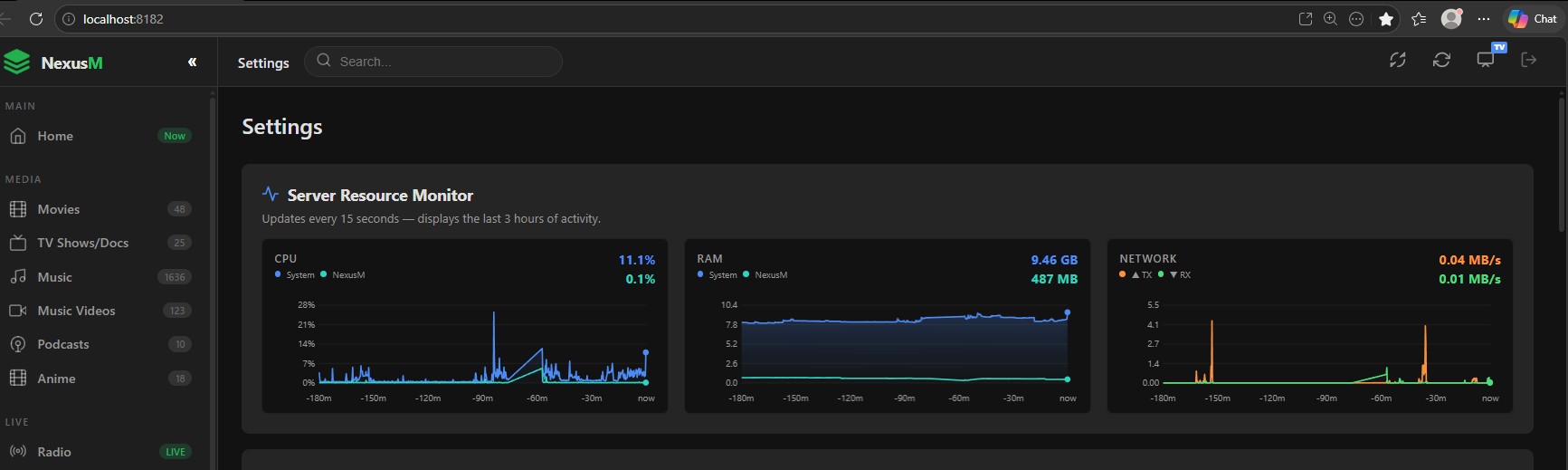
Real-time CPU, RAM & Network monitoring, directly from the Settings page.
NexusM includes a built-in server resource monitor that refreshes every 15 seconds and displays the last 3 hours of activity. No third-party tools, no agents. Just open Settings and your server vitals are right there.
- CPU: dual-line chart tracking total system CPU usage alongside the NexusM process share, updated live
- RAM: shows total system memory consumed and the NexusM process footprint separately, in GB
- Network: transmit (TX) and receive (RX) bandwidth in MB/s, colour-coded orange and green for instant reading
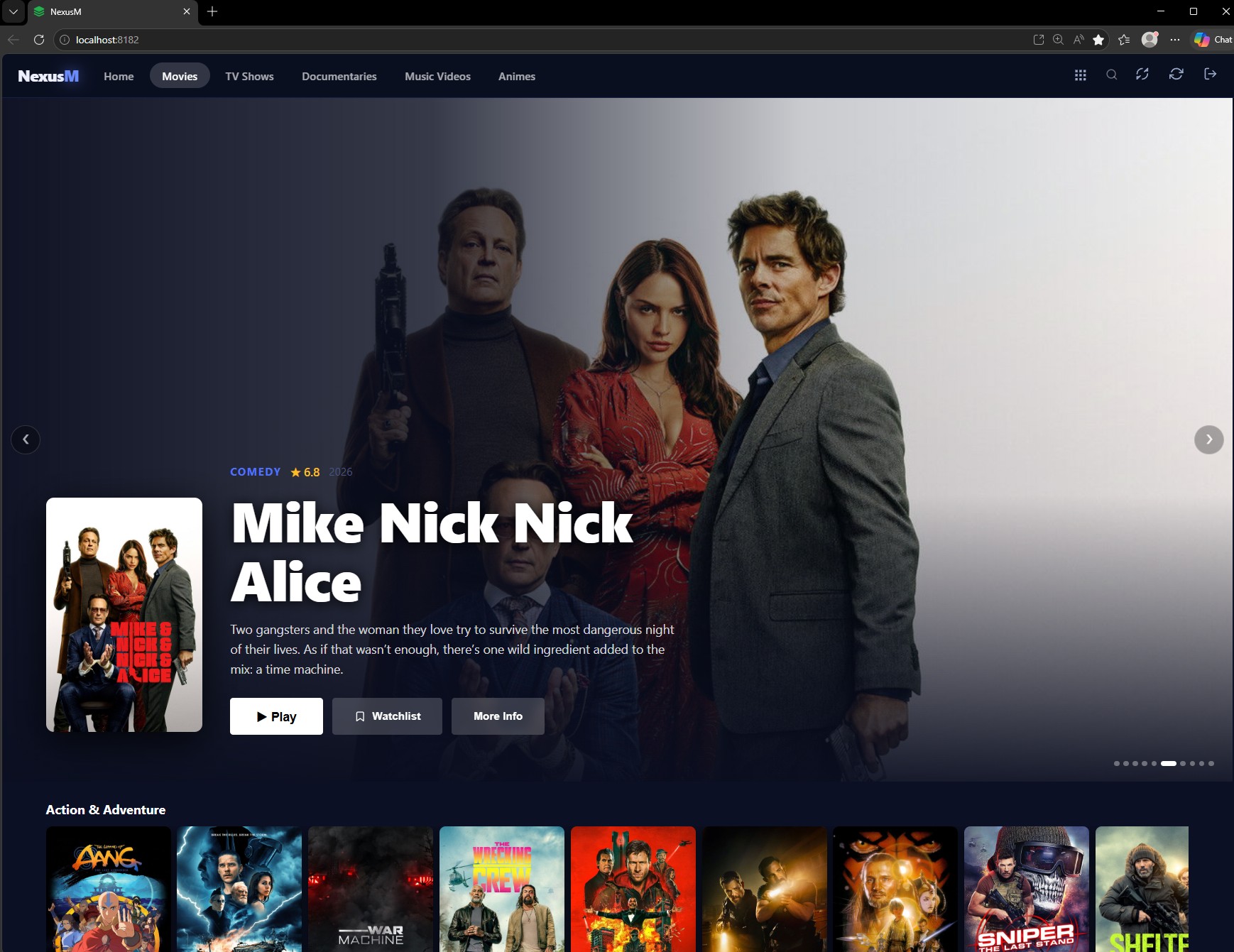
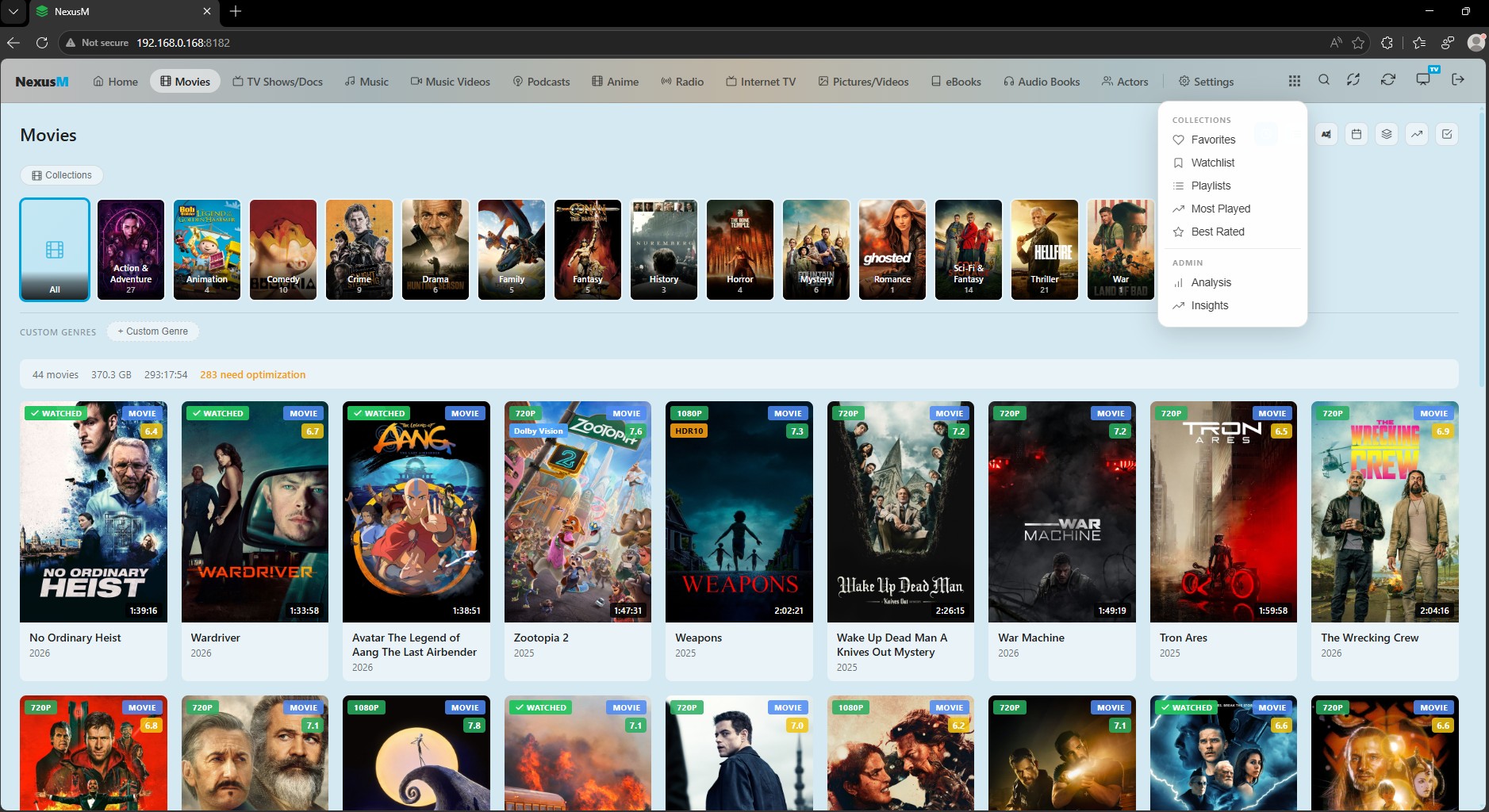
Fully customisable UI with a built-in theme selector and 6 ready-to-use templates.
NexusM lets you personalise every pixel. Pick from six built-in templates in Settings, or drop your own CSS and JS files into the templates folder to create a completely custom look. No rebuild required.
- Default (Built-in): the standard NexusM sidebar layout with colour accent variants (dark, blue, purple, emerald and more) selectable from Settings
- Horizon: warm amber-accented layout with a top navigation bar, glass-morphism cards and a cinematic player bar — ideal for home-theatre setups
- Amazing!: Amazon Prime-style dark layout focused on Movies, TV Shows, Documentaries and Anime — full-width hero banner, genre rows with horizontal scroll and an account dropdown with sign-out and settings
- Jellyfish: Jellyfin-inspired dark theme — deep black backgrounds, Jellyfin's signature teal-blue accent, sidebar navigation and a clean minimal look faithful to the Jellyfin aesthetic
- YablakoTV: soft light layout inspired by Jellyfin's AppleTV theme — pastel blue-grey tones, gradient topbar navigation, rounded cards and clean iOS-style typography
- Plux!: Plex-inspired dark theme — warm charcoal backgrounds, Plex's signature amber-orange accent, sidebar navigation and the clean industrial aesthetic of a Plex media server
- Custom templates: place a style.css and script.js in wwwroot/templates/YourTemplate/ and it appears instantly in the selector, no restart needed
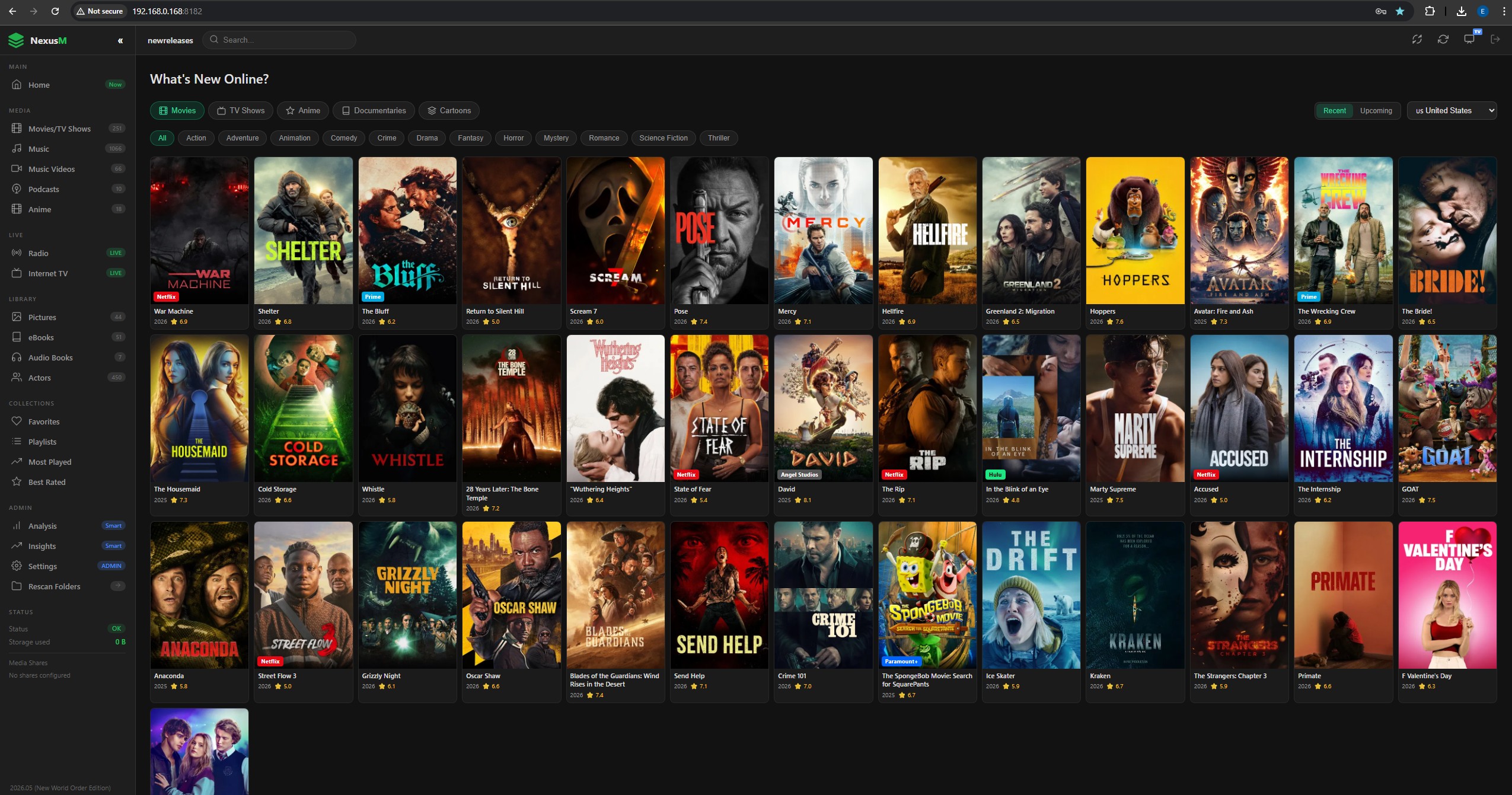
Discover new & upcoming releases from TMDB - movies, TV, anime, documentaries & cartoons.
A dedicated discovery page that shows what's new or coming soon across all categories, powered by The Movie Database. Filter by country, genre and mode - and see which streaming services carry each title in your region.
- Browse recent (last 90 days) or upcoming releases across Movies, TV, Anime, Documentaries and Cartoons
- Streaming provider badges show which services carry each title in your country
- Country & genre filter with local-language titles - results adapt to your region automatically
- "Find in Library" - instantly checks if a title is already in your NexusM library
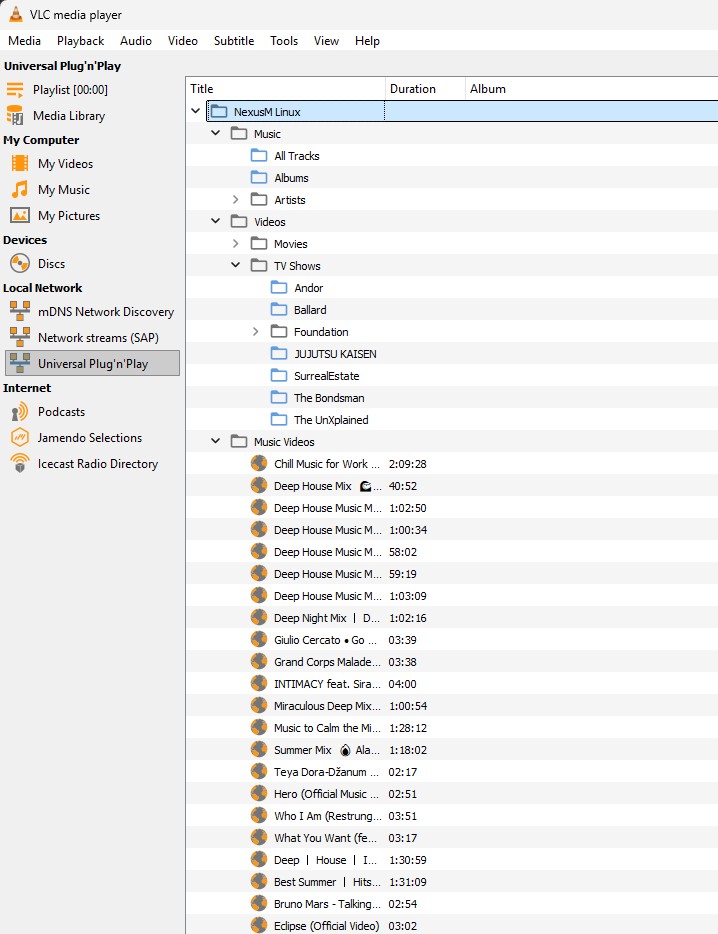
Built-in DLNA/UPnP server - stream to smart TVs, VLC, Roku and any DLNA client on your LAN.
NexusM announces itself as a UPnP MediaServer on your local network. Any DLNA-compatible device - smart TVs, VLC, Roku, media players - can discover and browse your entire library without any extra apps or configuration.
- Auto-discovery via SSDP multicast - NexusM appears in any DLNA client's device list automatically
- Full library browsing - Music (Tracks / Albums / Artists), Movies, TV Shows, Music Videos & Anime
- Byte-range seeking supported - seek to any position in MP4 and MKV files from the DLNA client
- LAN-only access with configurable friendly name - enable or disable from Settings with a single toggle
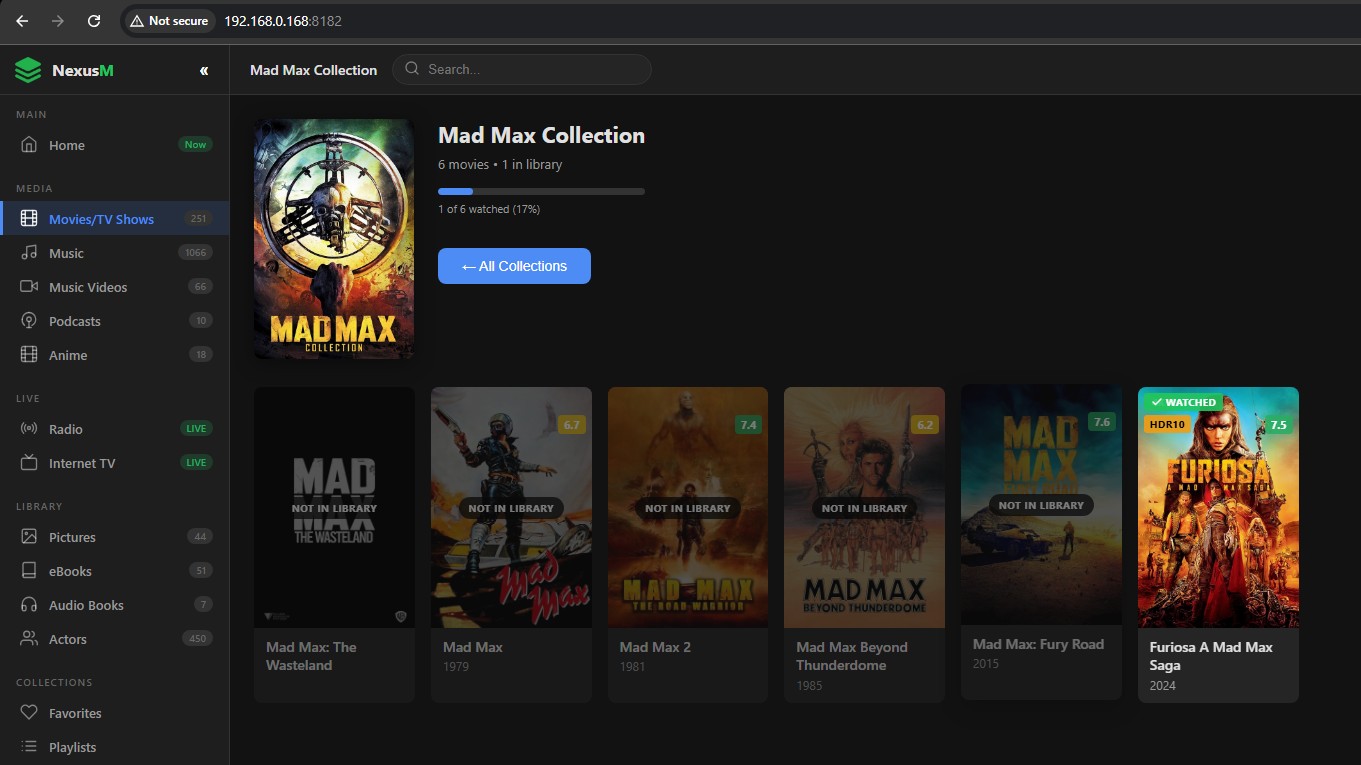
Automatically group your movies into franchises & collections - Marvel, Star Wars, The Godfather and more.
NexusM intelligently groups movies that belong to the same franchise or collection using TMDB collection data. Instead of a flat list, your library is organised into series - one card per franchise with all entries in chronological order, unified artwork and a collection overview.
- TMDB collection detection - franchise grouping happens automatically on metadata fetch, no manual tagging required
- One card per franchise with entry count badge - click to expand and browse all films in the series
- Chronological ordering within each collection - watch the saga from beginning to end
- Toggle between Collection view and standard flat All Movies view at any time
- Collection backdrop & poster fetched separately from individual film artwork
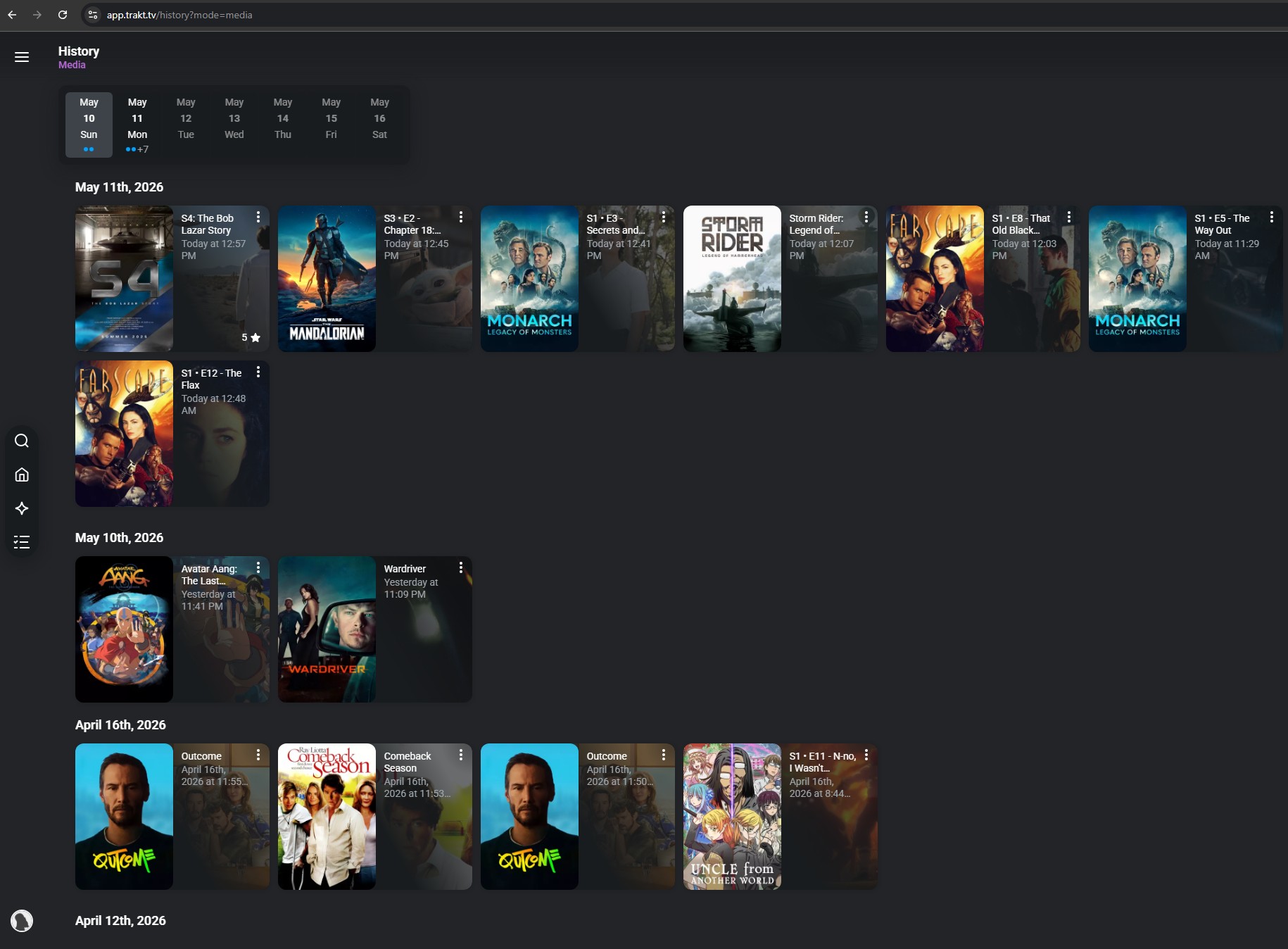
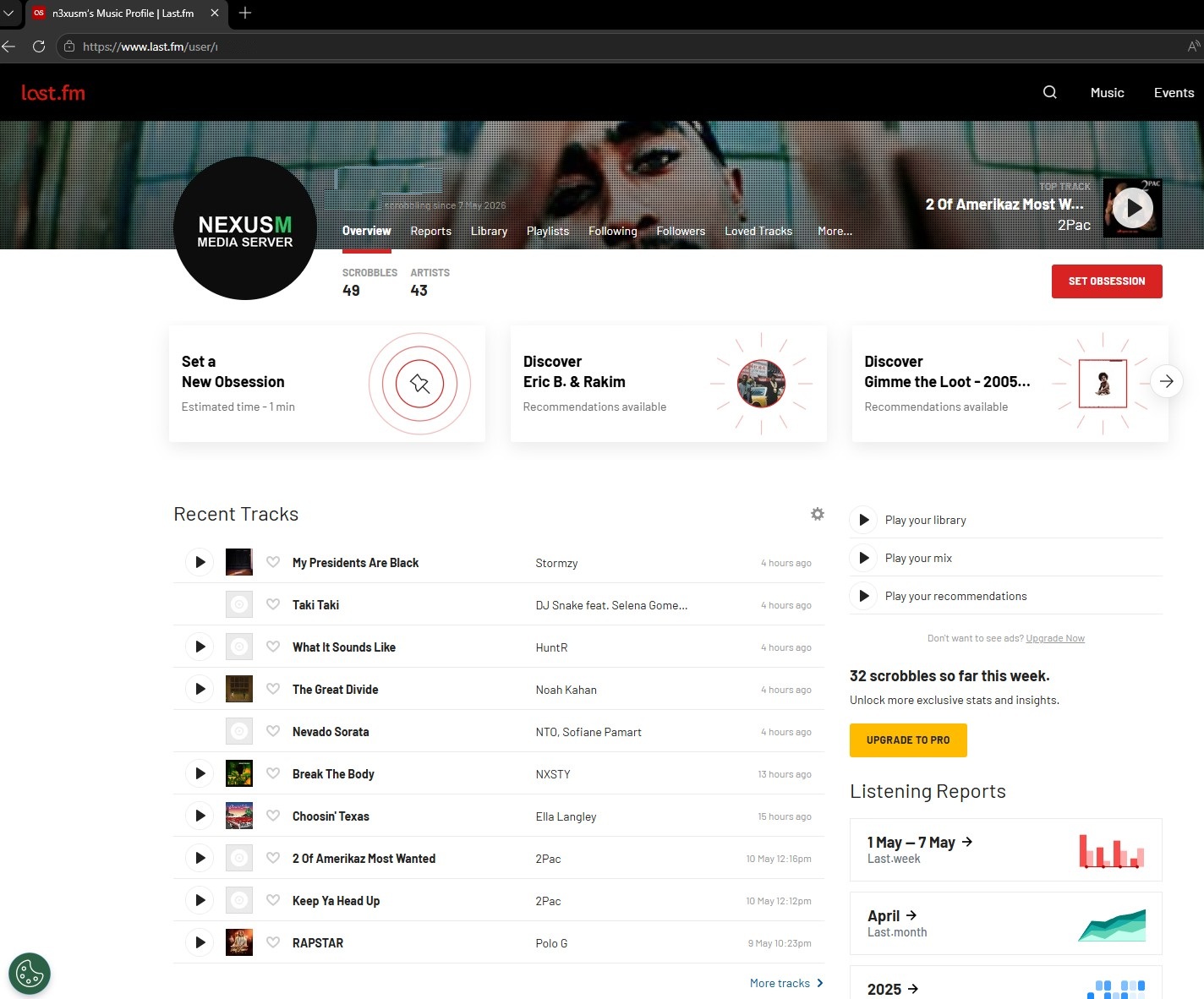
Automatic scrobbling to Trakt.tv, Last.fm & ListenBrainz — your watch and listen history, always in sync.
NexusM natively integrates with the world's most popular media tracking services. Watch a movie, follow a TV series or play music and NexusM scrobbles it automatically — no browser extensions, no third-party apps, no manual logging required.
- Trakt.tv: movies and TV episodes are automatically scrobbled as you watch — your full viewing history stays in sync with Trakt and all connected apps and websites
- Last.fm: every music track you play in NexusM is scrobbled to your Last.fm profile in real time — builds your listening stats, charts and personalised recommendations automatically
- ListenBrainz: free and open-source music listening history powered by MusicBrainz — full scrobbling support with no paywalls or subscription fees
- Now Playing support: services show what you are currently watching or listening to in real time, as it happens
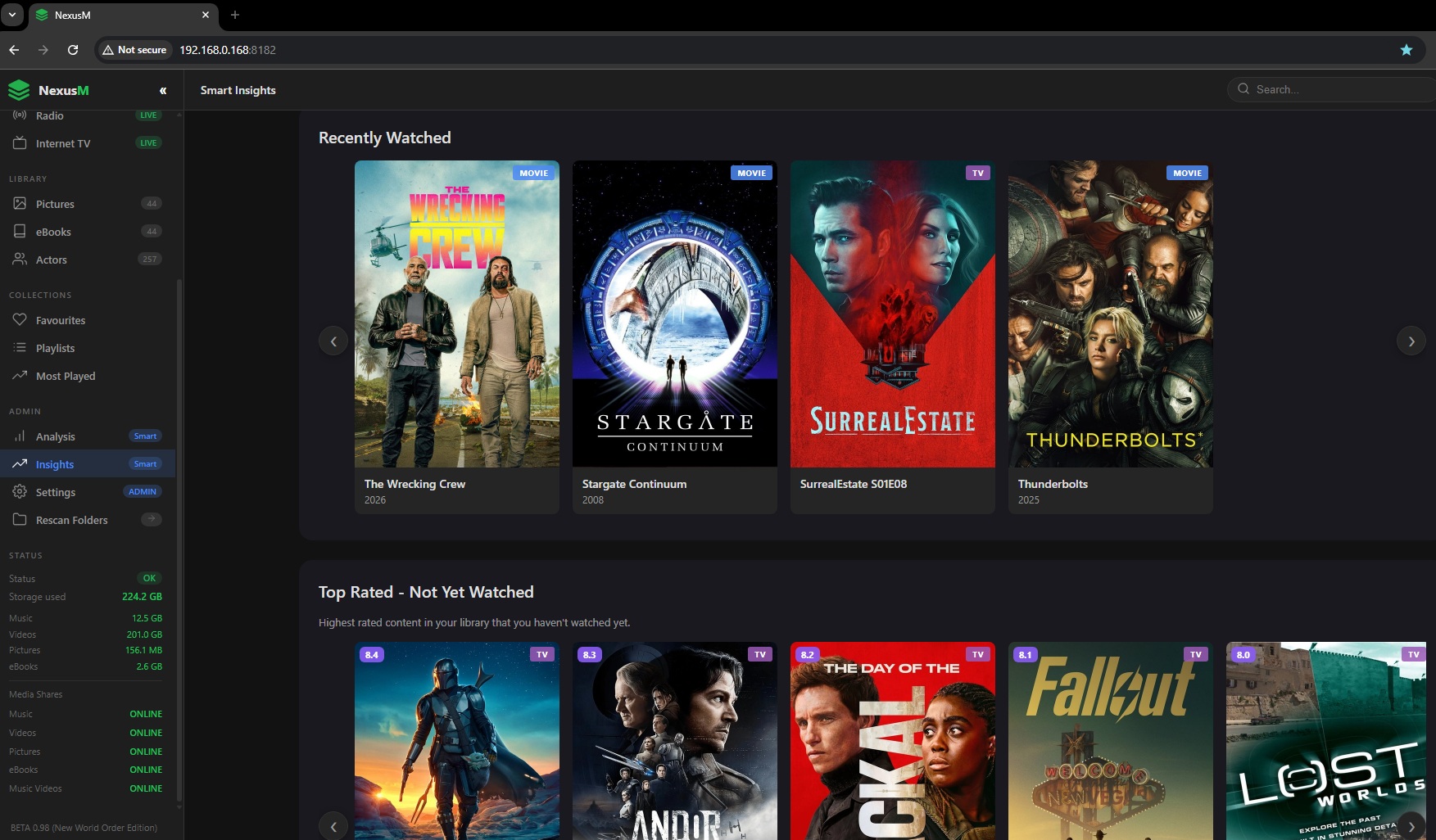
Insights into your entire media library.
Movies/TV Shows you've completed, the most watched genre, mood selector...
- Select a mood and we'll recommend content that matches how you feel.
- Highest rated content in your library that you haven't watched yet.
- Your Viewing Stats
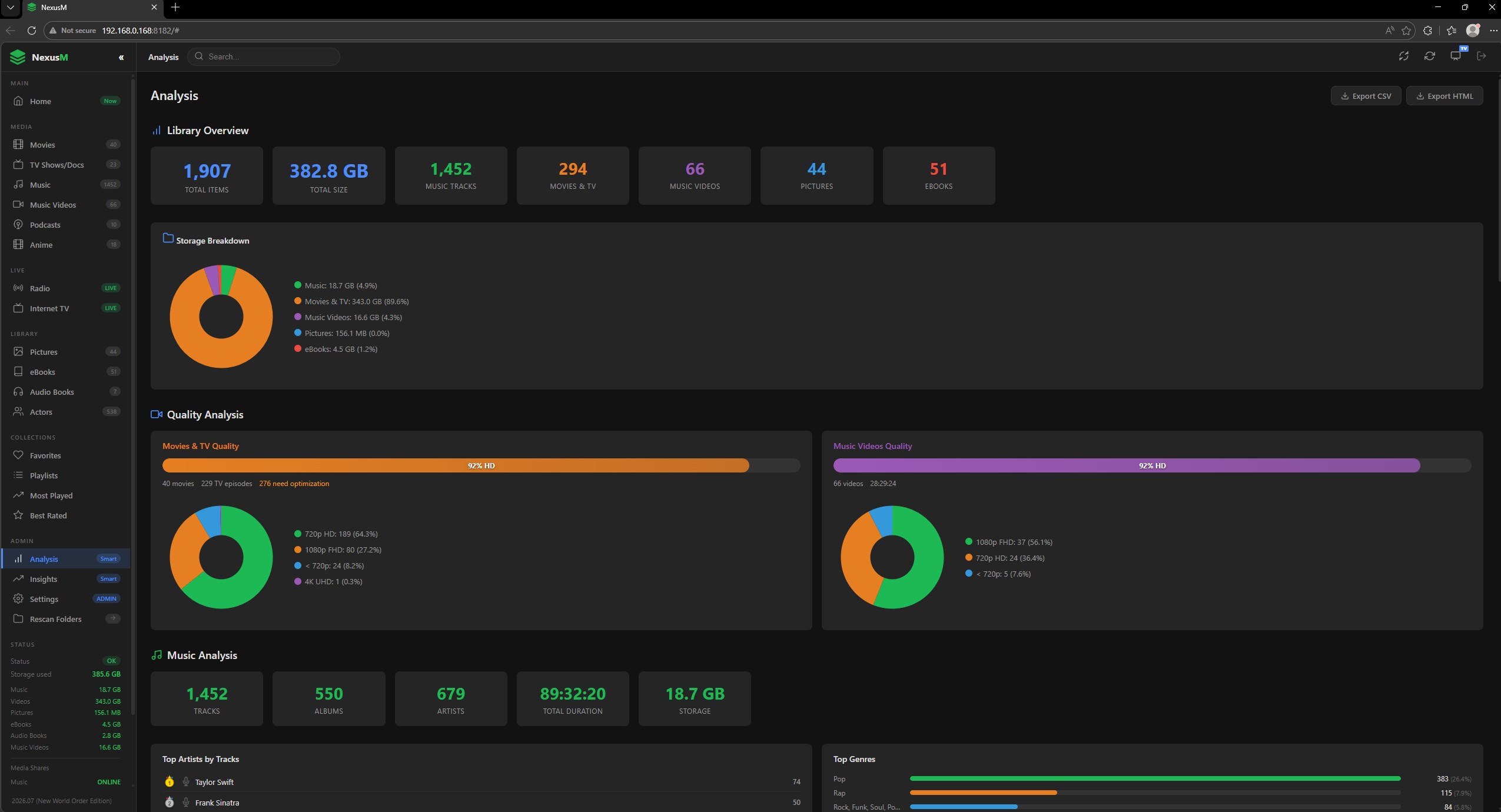
Library Overview.
Storage Breakdown, Quality Analysis, Music Analysis...
- Shows Top Artists by Tracks. Shows Top Genres, Audio Formats & Bitrate.
- Movies & TV Analysis, Formats & Codecs, Genres.
- Music Videos Analysis, Top Artists by Videos, Video Formats
Access From Any Device
Phone, tablet, laptop, TV, just open a browser. No app to install.
Multi-Language Support
English, French, German, Spanish, Italian, Polish, Swedish, Portuguese, Russian...
Free & Open Source
No subscription, no tracking. Inspect or extend on GitHub.
Runs everywhere you need it.
Windows, Linux & Docker. Native web client & Google TV / Android app.
NexusM on Google TV & Android TV
Works offline as a media player too for your local media files!
A native 10-foot experience for your living room. Browse your full media library, stream movies, TV shows, music and music videos - all from your TV remote.
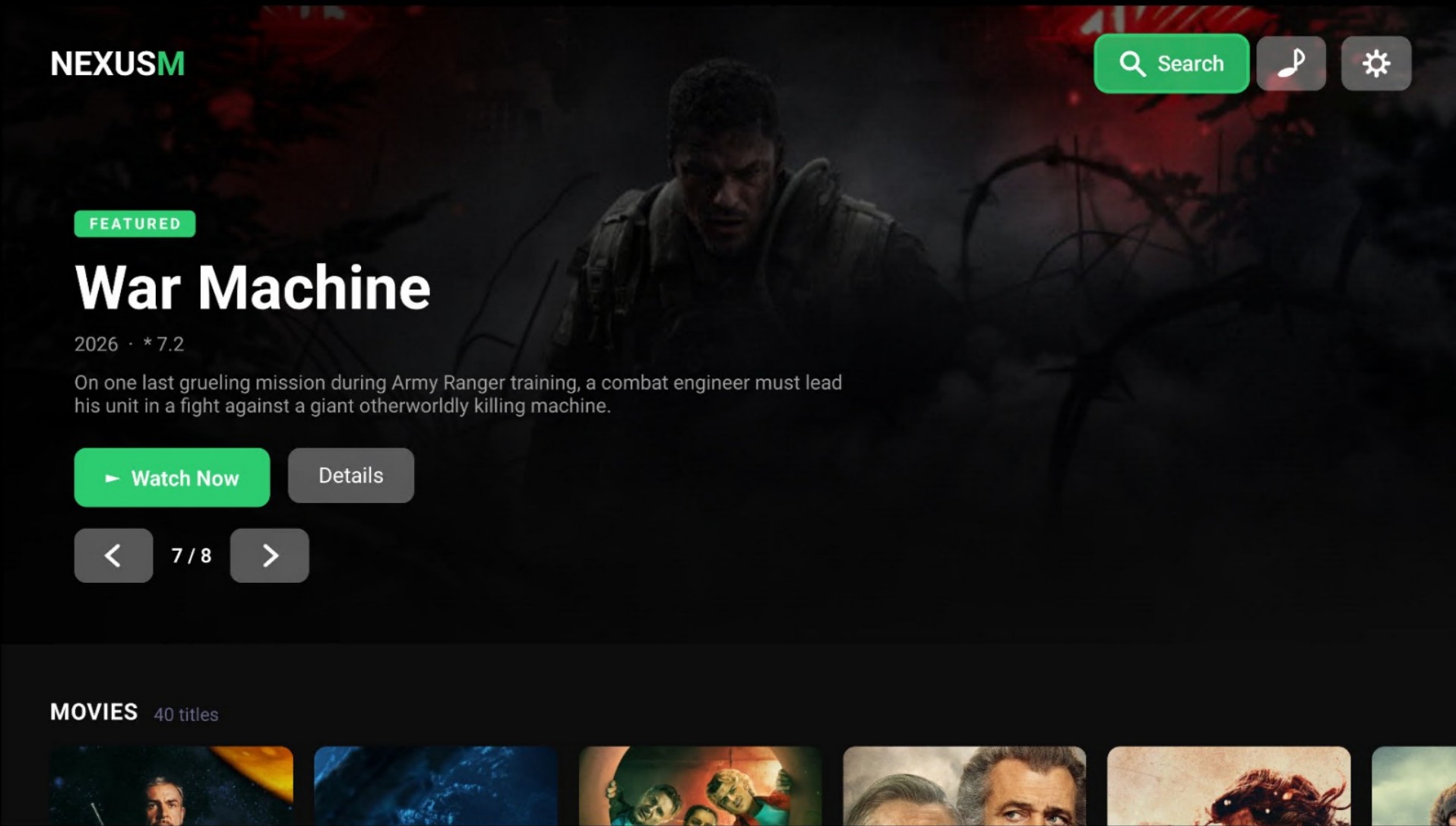
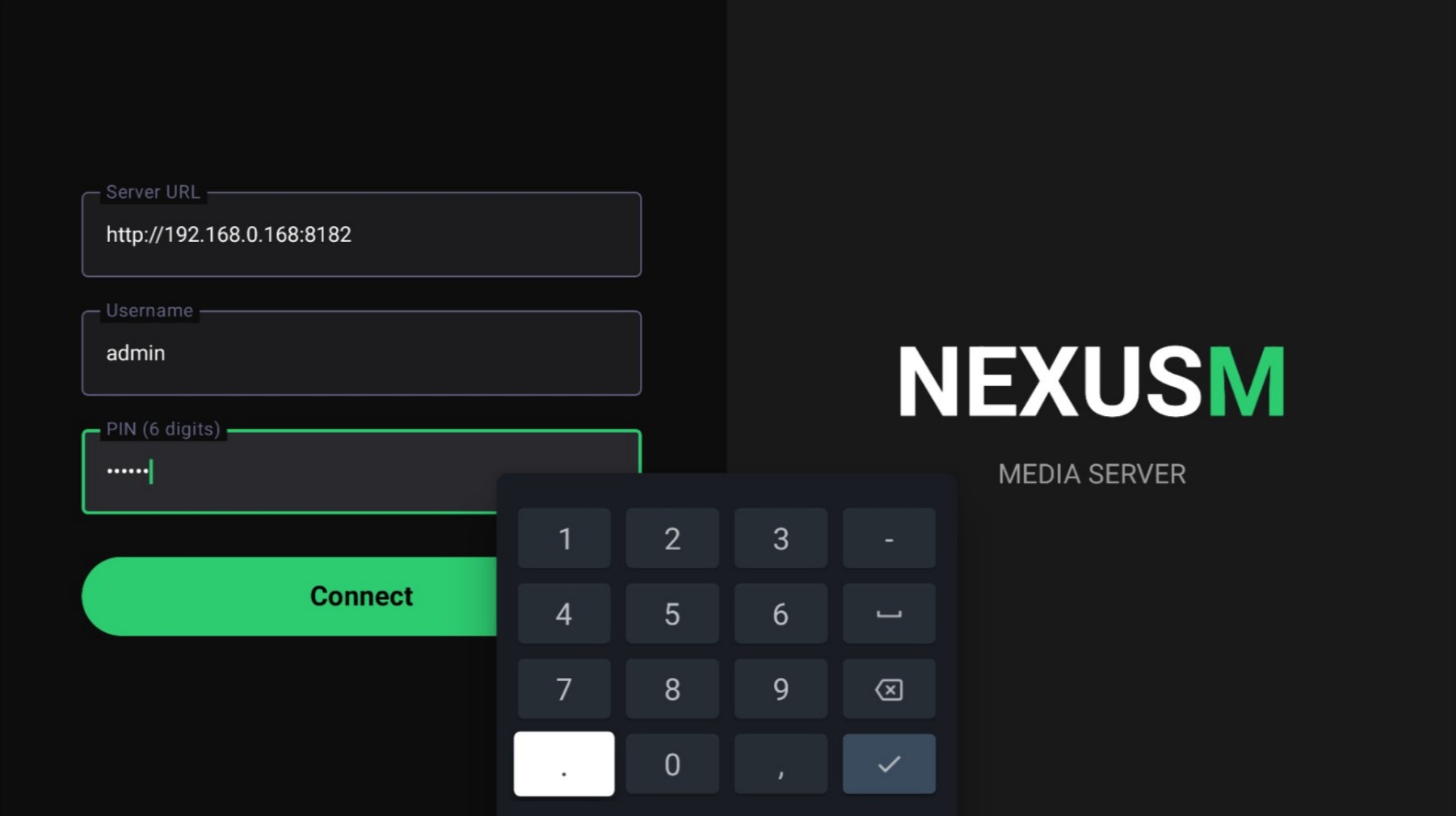
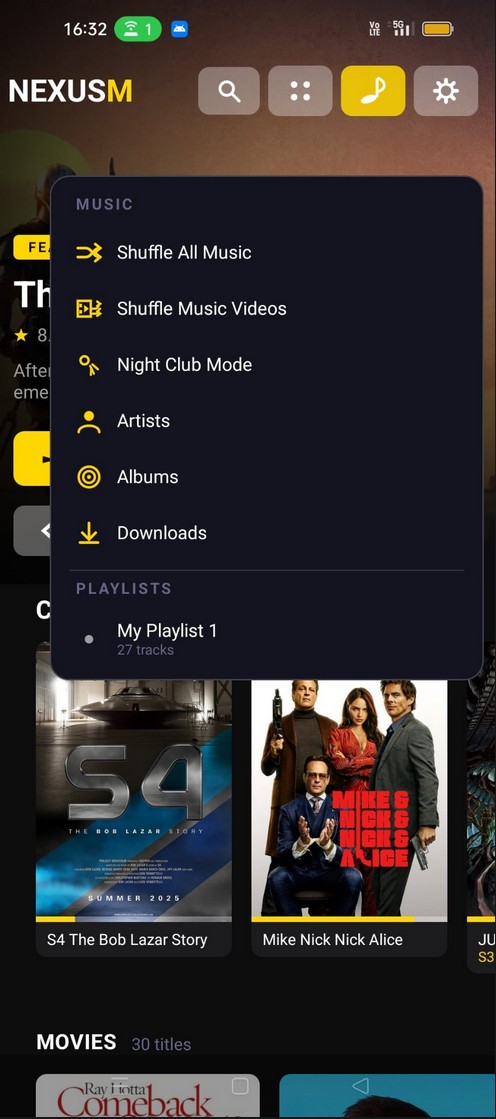
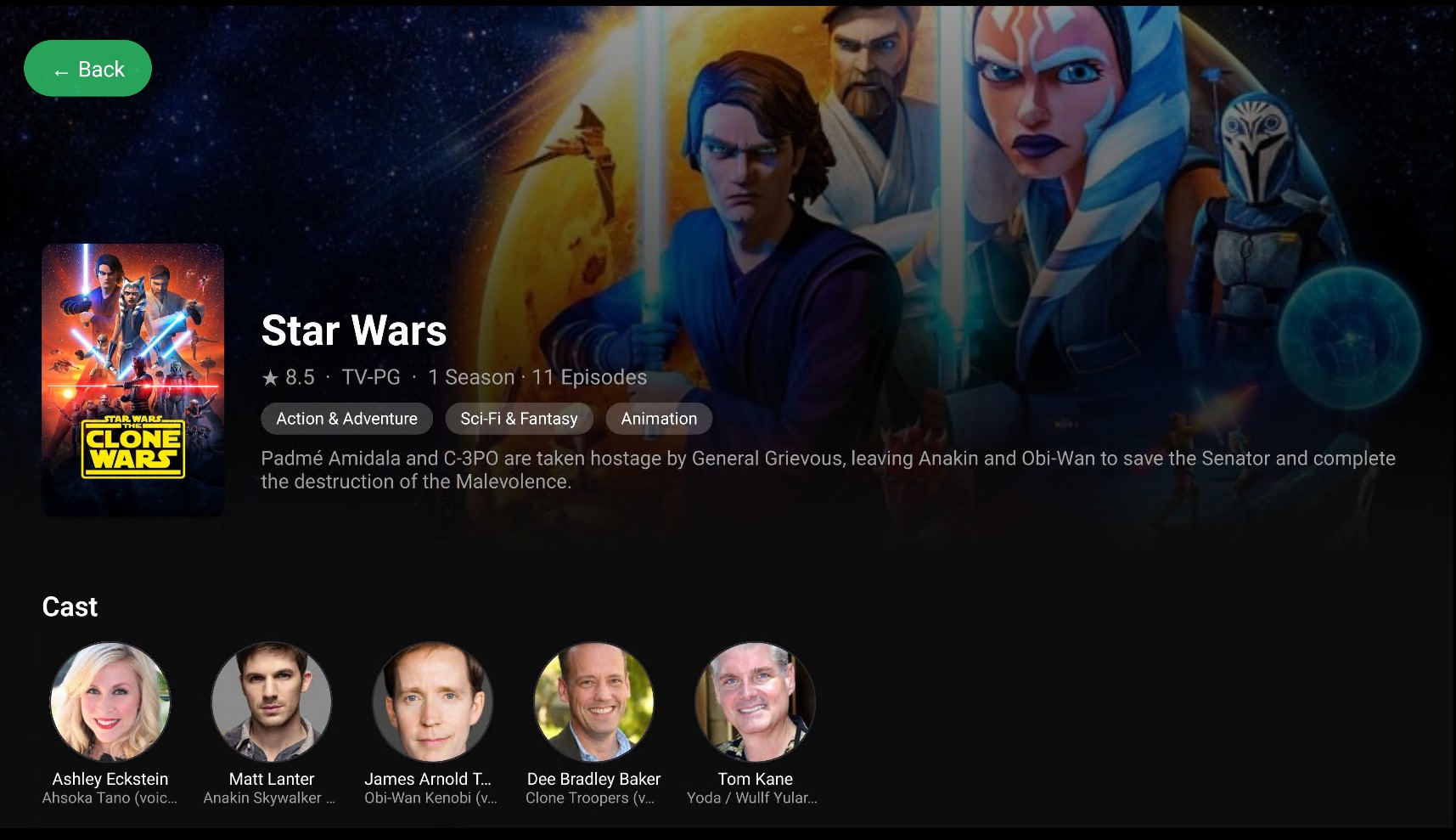
Your media library, made for the big screen.
The NexusM Android TV app brings your entire self-hosted library to your living room with a beautiful, remote-friendly 10-foot interface. Navigate movies, TV shows, anime, music videos and music playlists with a D-pad or voice remote - no mouse, no keyboard required.
- Hero home screen with featured movies & auto-cycling backdrop
- Movies, TV shows, anime, music videos & music - all in one app
- Full-screen music video playback with Next / Previous navigation
- Playlist queue - plays tracks in sequence automatically
- Search across your entire library by title, artist or album
- Rich detail pages: cast, synopsis, ratings & episode info
- Shuffle Music & Shuffle Music Videos modes
- Connects securely to your NexusM server - no cloud required
- Works offline — play locally downloaded music, movies & videos without a server connection. Unique among competitors.
NexusM on Samsung TV (Tizen OS)
A native Tizen app is in development, bringing your full NexusM media library to Samsung Smart TVs with a polished, remote-friendly interface.
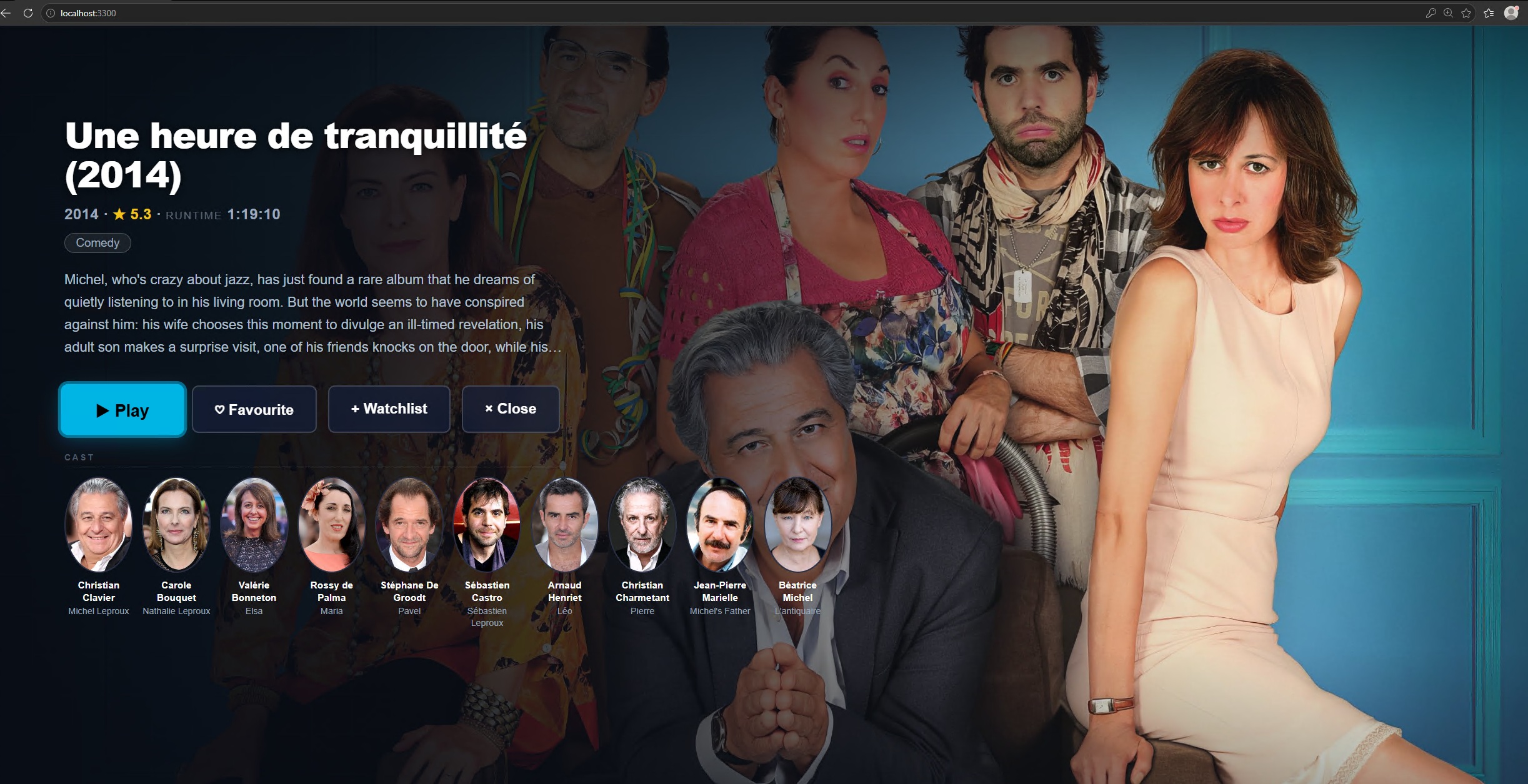
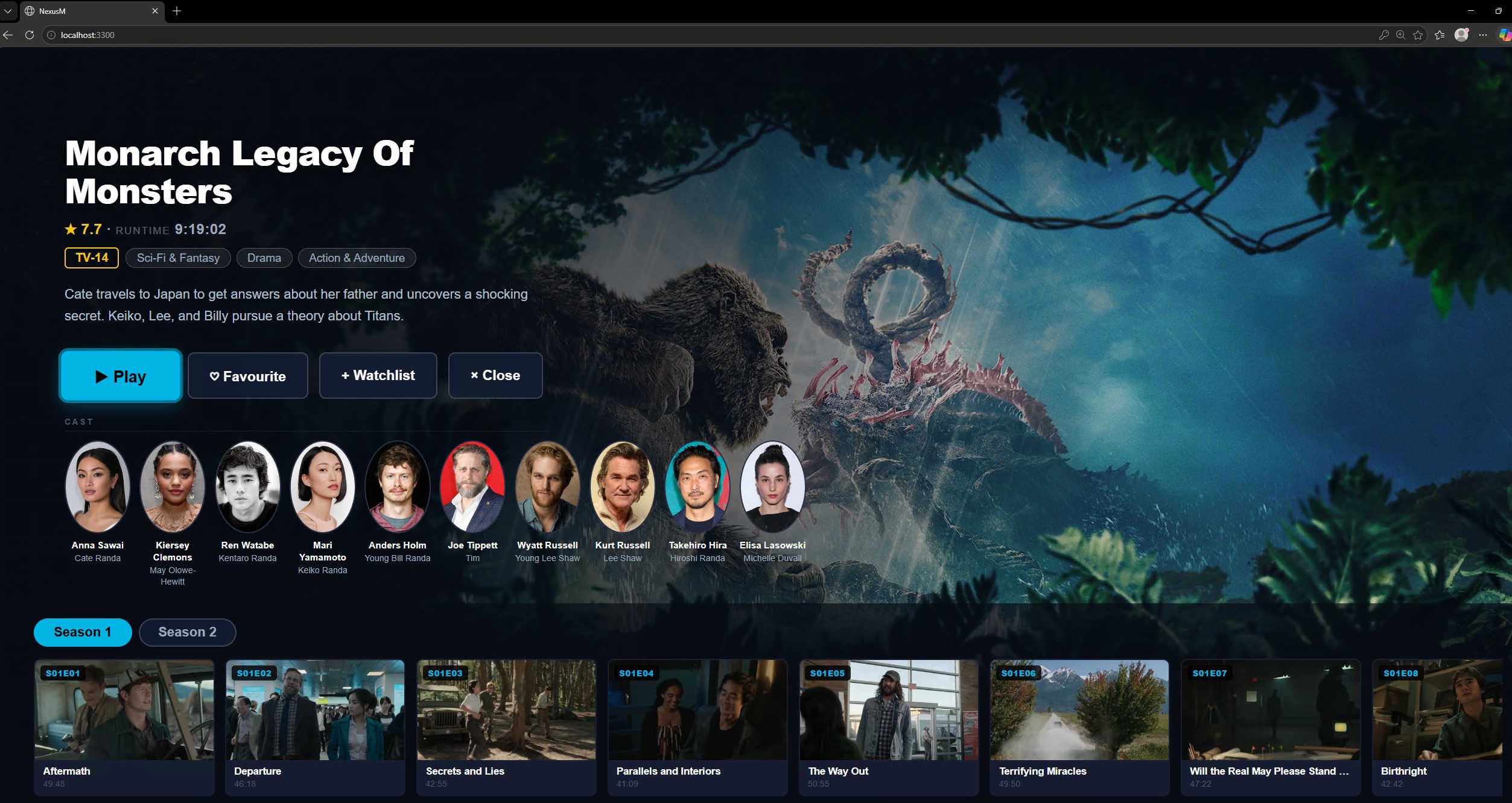
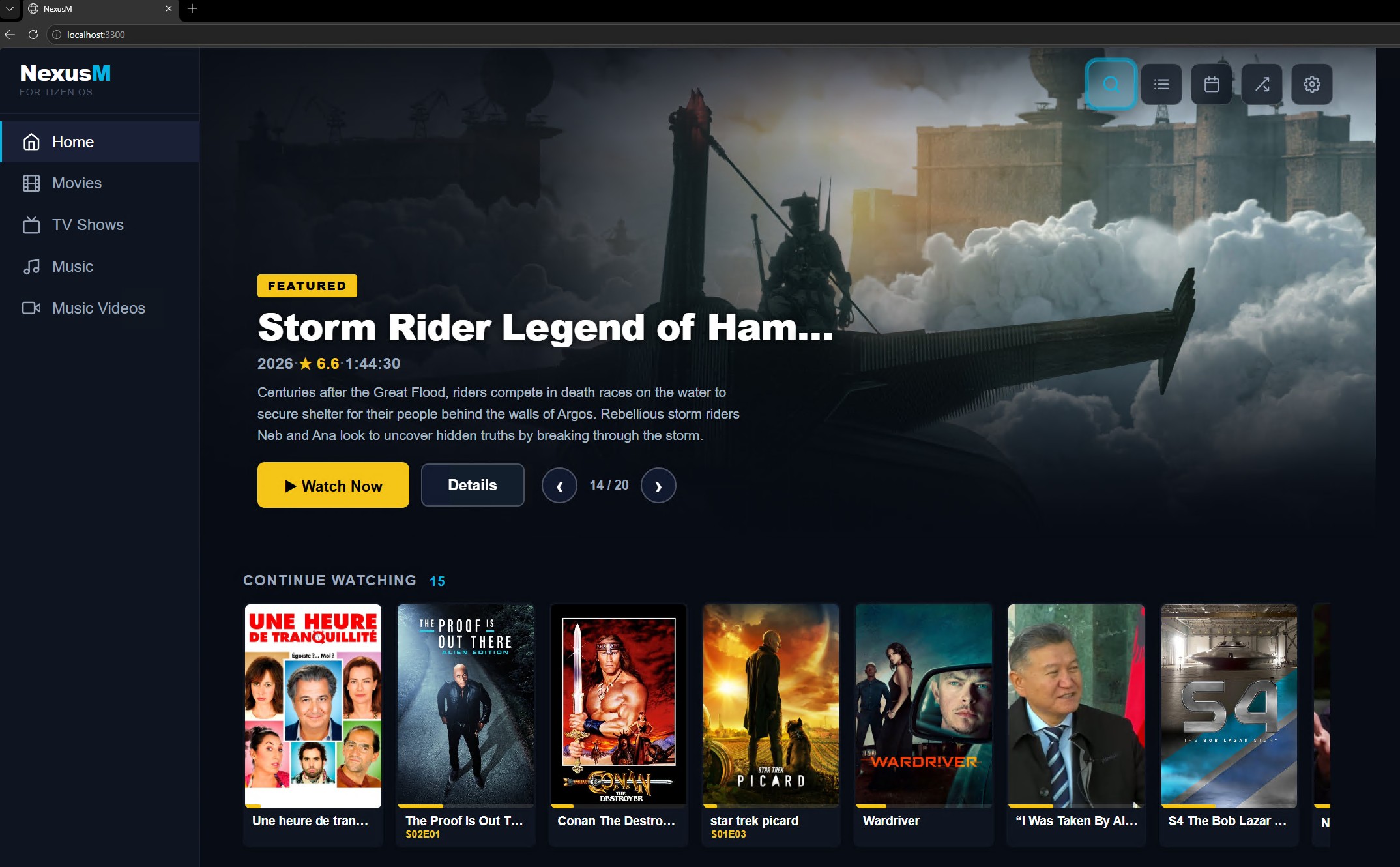
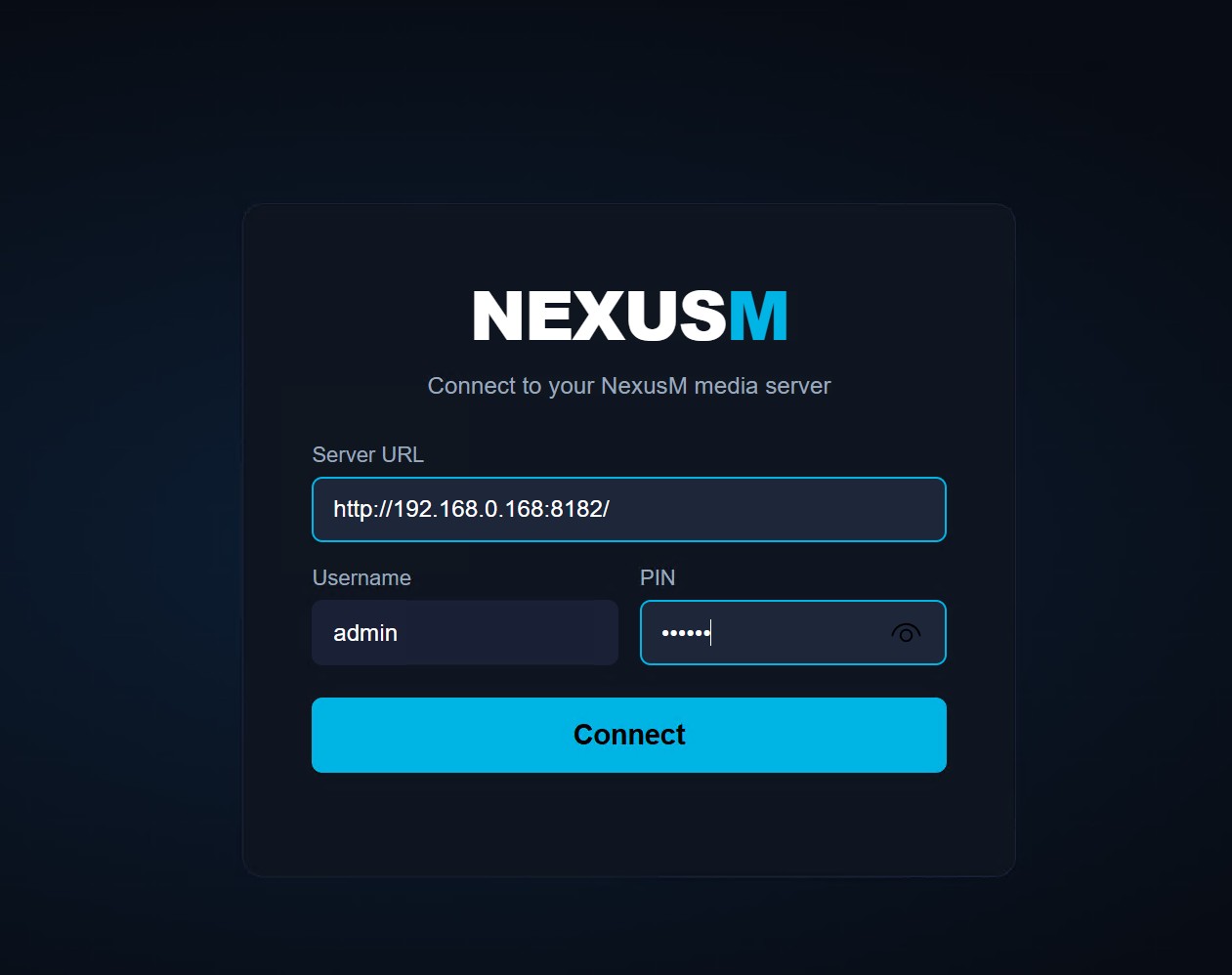
Your media library, coming to Samsung Smart TVs.
We are building a native NexusM app for Samsung's Tizen OS — the same polished 10-foot interface you know from the Android TV app, rebuilt from the ground up for Samsung's remote and UI conventions.
- Native Tizen app — designed for Samsung Smart TVs (Tizen 5.5+, models 2020 and later)
- Full media access: movies, TV shows, anime, music videos & music playlists
- Remote-friendly 10-foot UI, optimised for Samsung's D-pad and voice remote
- Streams directly from your NexusM server — no cloud, no subscription required
- Secure local network streaming — your media never leaves your home
- Stay tuned — follow the project for early access and release announcements