Free self-hosted media server · Windows, Linux & Docker
NexusM: Free Self-Hosted Media Server
NexusM organises and streams your movies, TV shows, music, photos, podcasts, audiobooks and eBooks from hardware you control. Install it on Windows, Linux or Docker and access your library from any browser or from Android TV.
No cloud, no account
Your library never leaves your machine. There is no sign-up, no remote service and nothing to phone home to.
No subscription
Every feature is included, including hardware transcoding. There is no paid tier and nothing is held back.
Runs on what you have
A single .NET 8 service on Windows, Linux or Docker, serving a web interface on port 8182.
Hardware transcoding
FFmpeg with NVENC, Quick Sync or AMF turns any file into a stream your browser can play.
Built on proven open technologies
- C# / .NET 8
- ASP.NET Core (Kestrel)
- SQLite + Entity Framework Core
- FFmpeg
- NVENC / QSV / AMF
- HLS
- TMDB
- Jikan (MyAnimeList)
- DLNA / UPnP
- Docker
Everything your media needs, in one place
A complete self-hosted media centre: movies, TV, music, photos, books, podcasts and audiobooks, all indexed, illustrated and streamable from any device on your network.
Your private streaming library, beautifully organised
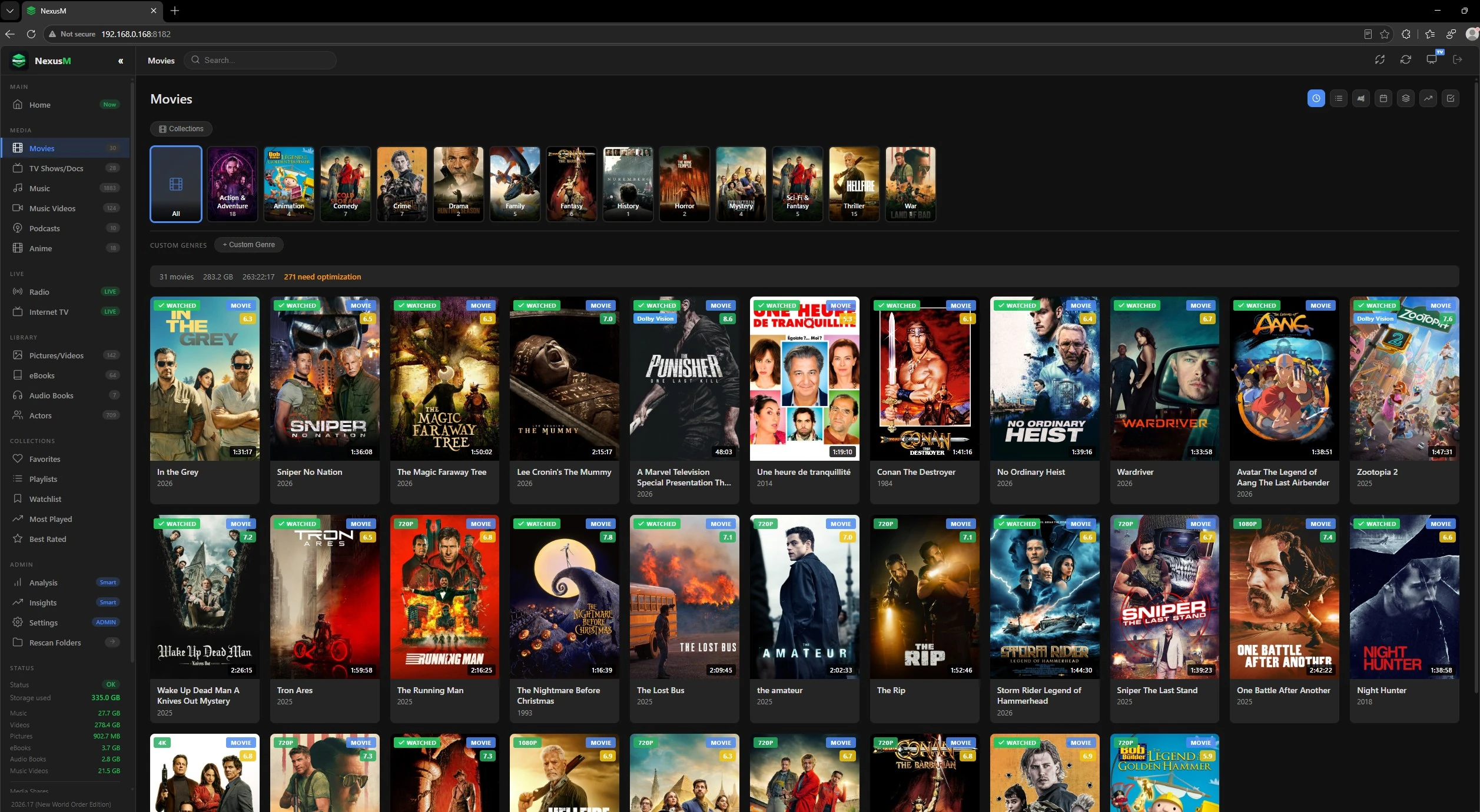
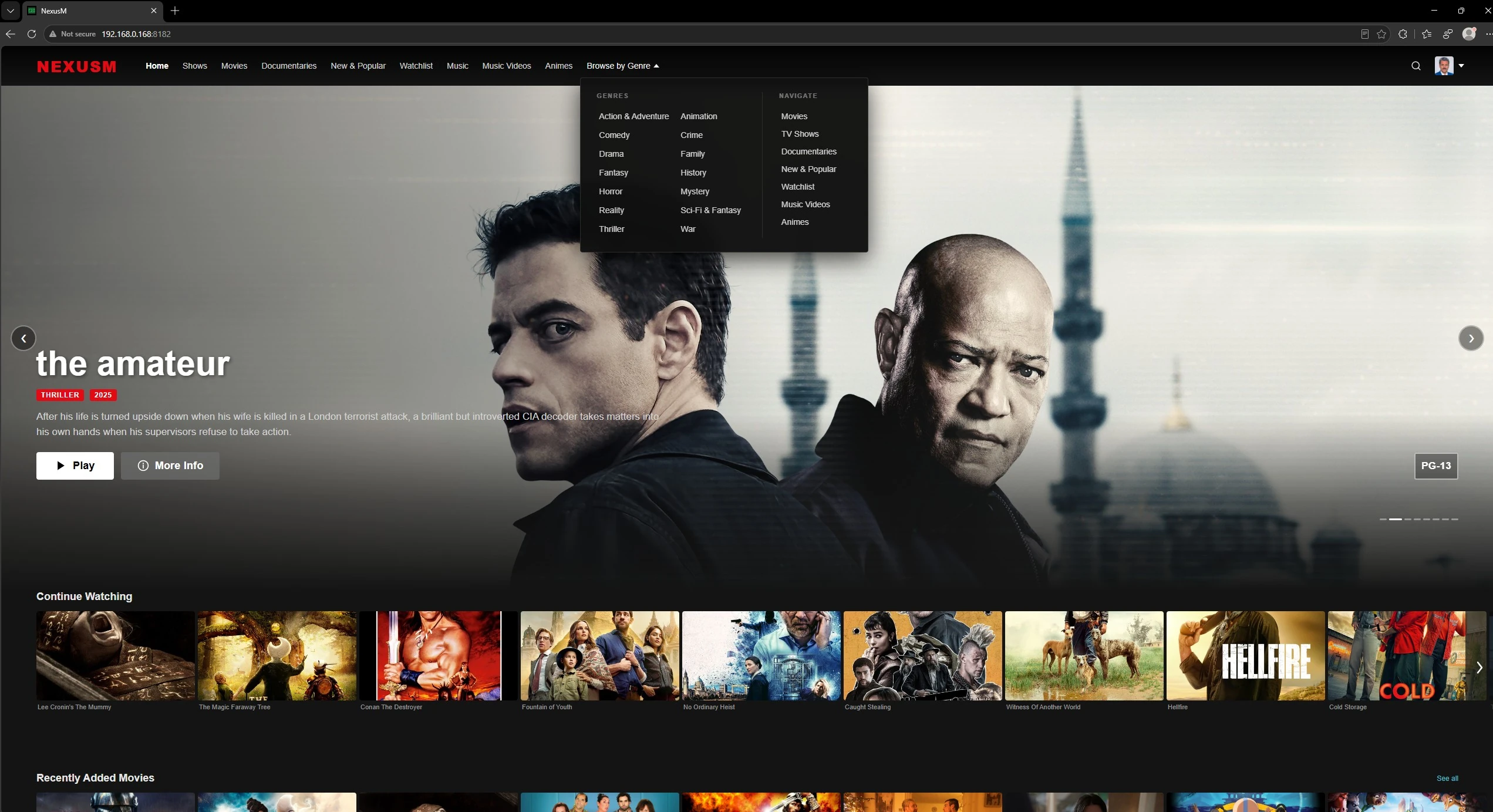
Browse your entire collection with posters, ratings and summaries fetched automatically from TMDB, then stream straight into your browser on any device.
- Plays MP4, MKV, AVI, VOB, TS, WebM and more
- Posters, ratings and summaries fetched from TMDB
- Real-time transcoding for any device and any file
- Filter and browse by genre, rating, year and more
A music library that actually looks great
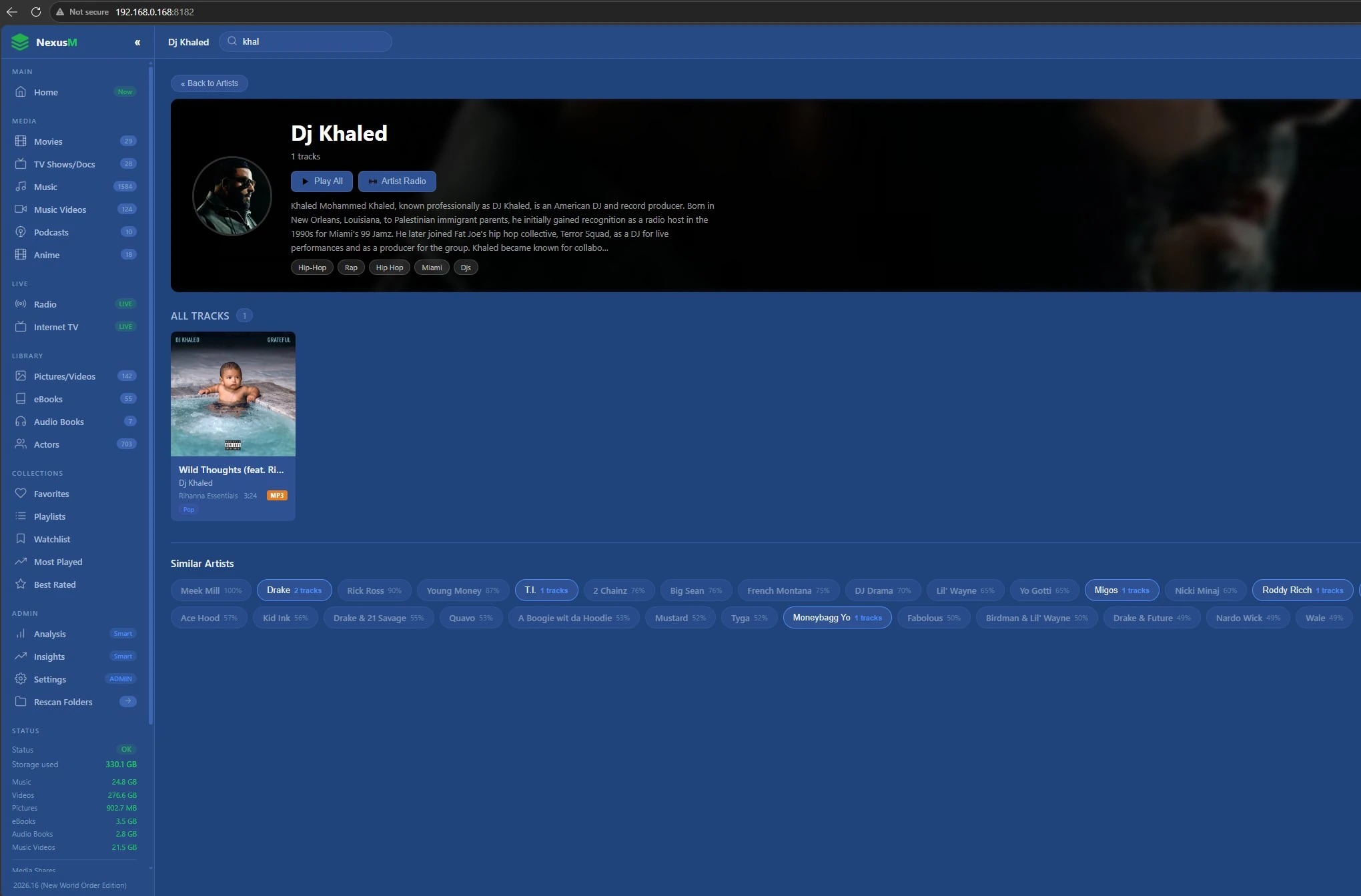
Album artwork is extracted from your files automatically. Browse by artist, album or track, play instantly in any browser, or tune into internet radio.
- MP3, FLAC, AAC, OGG, WAV and more
- Embedded album artwork extracted on scan
- More than 70 internet radio stations built in
Your memories stay on your hardware
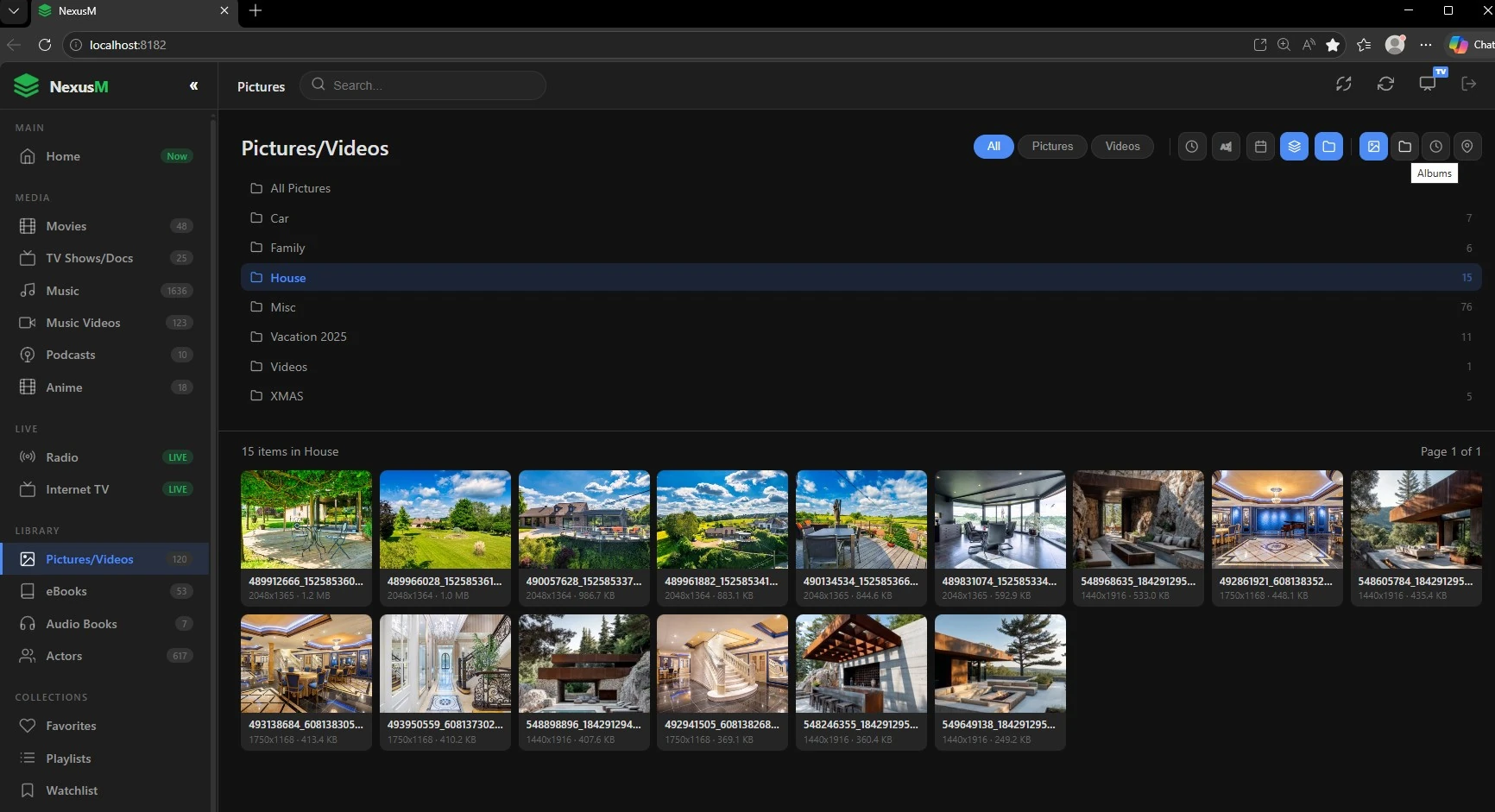
A fast gallery with no cloud uploads and no third-party access. Your photos never leave your home server.
- JPG, PNG, GIF, BMP, WebP and more
- Fast thumbnail grid with a full-size viewer
- Geo-tagging with an interactive map view
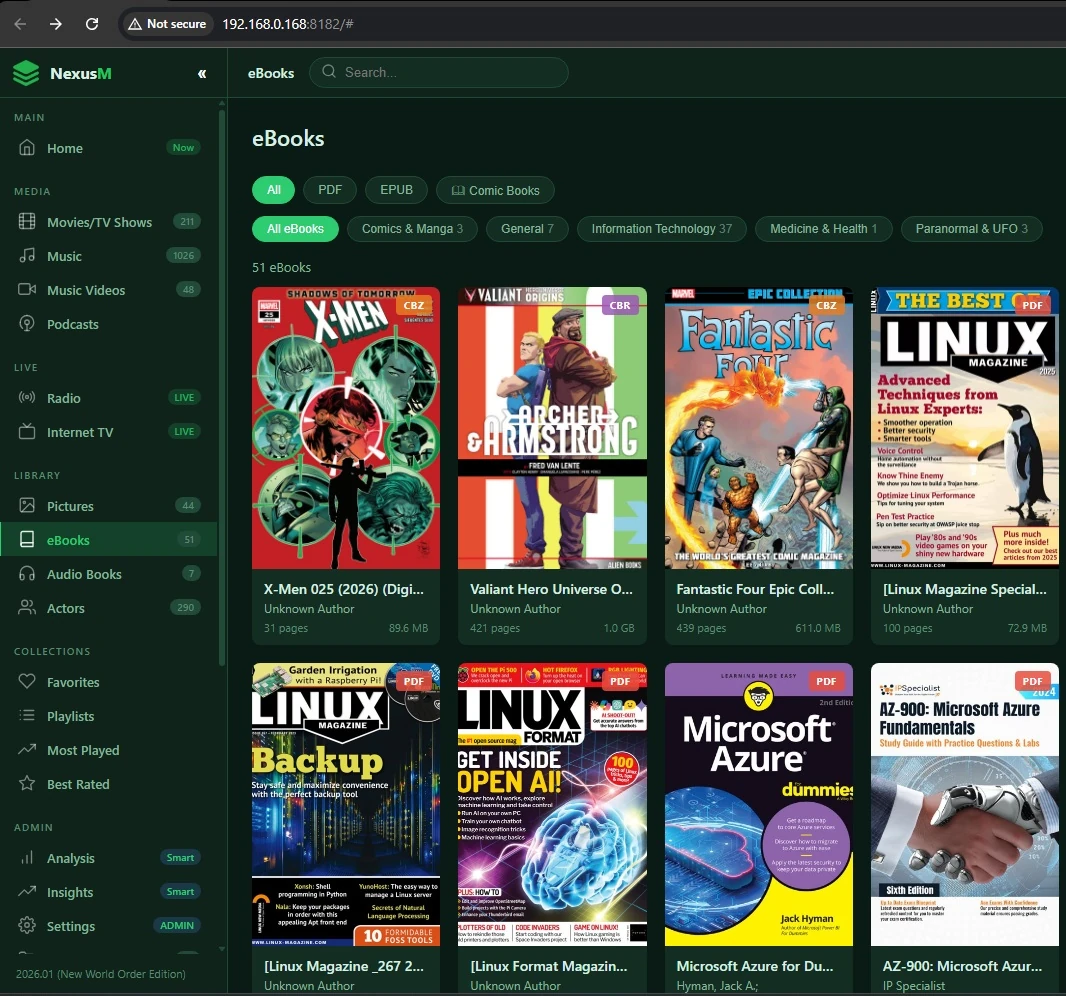
Your digital bookshelf, always at hand
PDF thumbnails are generated automatically and ePUBs open directly in your browser, with no extra application to install.
- PDF with auto-generated cover thumbnails
- Built-in ePUB reader in the browser
- Fully self-hosted, no accounts required
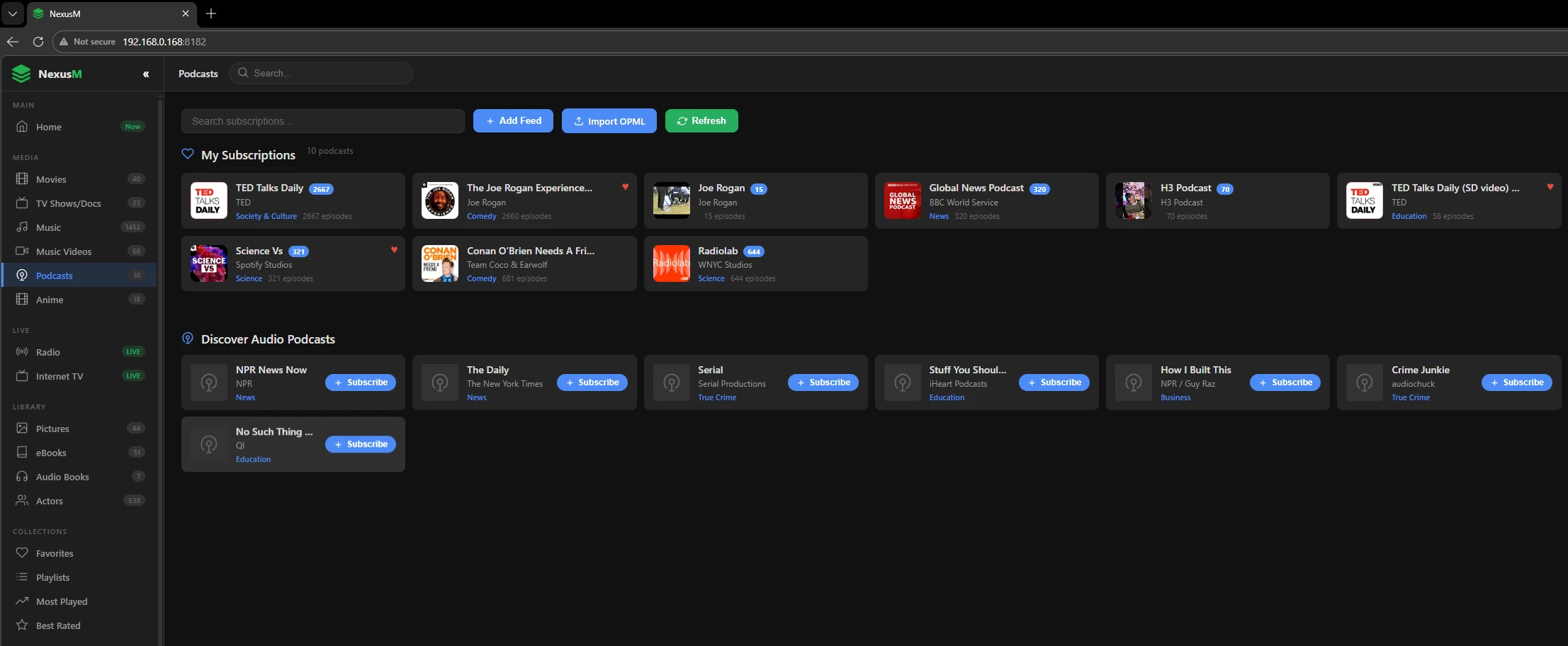
Audio and video podcasts
Import your subscriptions from an OPML file or add any RSS feed by URL. Audio and video podcasts are both supported.
- Import existing subscriptions from OPML
- Add any RSS podcast feed with a single URL
- Supports audio and video podcast formats
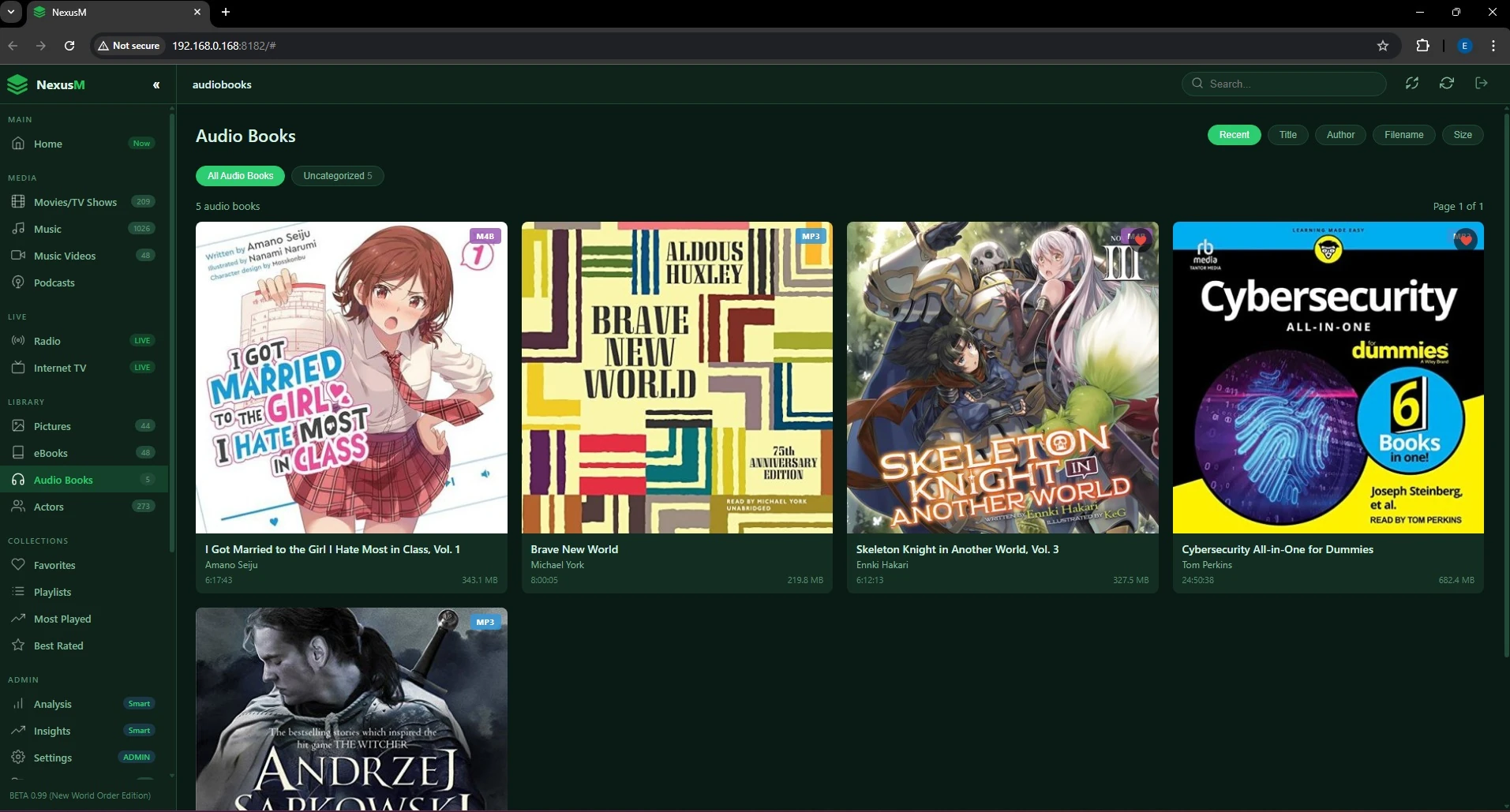
A shelf built for long listening
Import audiobooks in M4B or MP3 format with a dedicated scan and its own folder configuration, kept separate from your music library.
- Supports M4B and MP3 audiobook formats
- Dedicated scan with its own folder configuration
- Collection organised automatically on import
There is more: anime with MyAnimeList metadata, franchise grouping, Go Big TV mode, a music visualiser, scrobbling, DLNA and seven interface themes are all covered on the features page. See all features
Install it where your files already live
NexusM is a single .NET 8 service. Run it on the machine that already holds your media, then reach it from every browser on your network.
Windows x64
A self-contained build for Windows 10 and 11 and Windows Server. Unpack, edit NexusM.conf and start the service.
Linux x64
A tar.gz archive for any modern x64 distribution. Ideal for a home server, a NAS with Docker support or a small VPS on your own LAN.
Docker
Pull dockernexusm/nexusm from Docker Hub and run it with compose. Five commands from nothing to a running server.
Android TV & Google TV
A native 10-foot app for the living room, currently distributed as a sideloaded APK. It also plays downloaded files offline.
Self-hosted means the data stays yours
NexusM runs entirely on your own hardware. There is no NexusM account, no cloud relay and no remote index of your library. The software does not phone home, does not ship telemetry and does not embed analytics or advertising SDKs.
The only outbound requests NexusM makes are the ones you ask for: metadata lookups at TMDB or Jikan when you scan a library, internet radio streams, podcast feeds and the scrobbling services you connect yourself.
- No user tracking, no telemetry, no advertising SDKs
- Library, database and artwork stay on your machine
- LAN-only by default; remote access is your choice
- Metadata lookups happen only when you run a scan
Hardware transcoding, included at no cost
NexusM uses FFmpeg to convert anything your browser cannot play natively into an HLS stream, in real time. When the file is already compatible, REMUX mode repackages it instead of re-encoding, which keeps CPU usage close to zero.
Hardware acceleration is supported on NVIDIA NVENC, Intel Quick Sync and AMD AMF. It is part of the free product; there is no paid tier that unlocks it.
- NVENC, Quick Sync and AMF hardware acceleration
- REMUX mode avoids re-encoding compatible files
- HLS delivery with seeking and multiple qualities
- Async .NET pipeline for concurrent playback
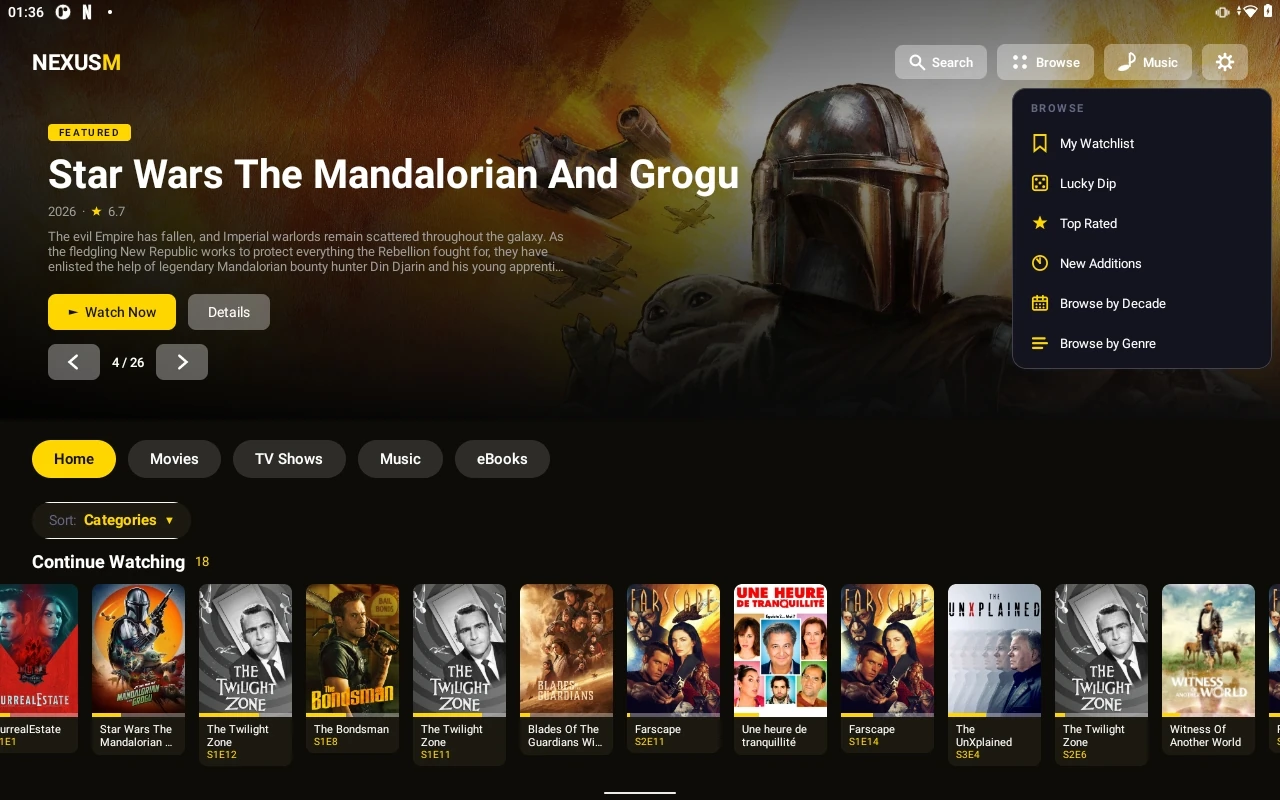
Your library on the big screen
The native Android TV and Google TV app brings your whole library to the living room with a remote-friendly 10-foot interface: hero artwork, cast details, playlists and search, all navigable with a D-pad. It also works offline as a local player for media you have downloaded to the device.
- Native app for Google TV and Android TV
- Movies, TV, anime, music videos and music in one app
- Offline playback of locally downloaded media
- Connects straight to your server, with no cloud in between
Coming from Plex, Jellyfin or Emby?
NexusM covers the same ground as the established media servers, with one important difference: everything is included, and nothing requires an account or a subscription.
- Hardware transcoding is free, not a paid add-on
- No account, no cloud sign-in, no connected service
- Includes eBooks, audiobooks and an anime library
Frequently asked questions
What is NexusM and what does it do?
NexusM is a cross-platform media library manager built with C# and .NET 8. It indexes your videos, music, photos, PDFs and ePUBs in an SQLite database through Entity Framework Core, serves a web interface with ASP.NET Core (Kestrel), fetches film and series metadata from TMDB, transcodes video with FFmpeg including hardware acceleration, extracts album artwork, generates PDF thumbnails, reads ePUBs and includes an internet radio player with more than 70 stations.
What are the system requirements?
NexusM runs on Windows x64 and Linux x64, and in Docker. It needs roughly 250 MB of disk space for the application itself, plus space for its database and cached artwork. For comfortable video transcoding, 8 GB of RAM and a GPU with NVENC, Quick Sync or AMF support are recommended, though direct play and REMUX work on far less.
What are the default username and PIN?
NexusM ships with a single administrator account: the username is admin and the PIN is 000000. They are the same on Windows, Linux, Docker and in the Android TV app, and they are shown on the download page as well. Sign in with them the first time, then change the PIN in Settings, particularly if anyone else can reach your server.
Is NexusM free to use?
Yes, NexusM is free for personal, non-commercial use, with no subscription and no paid tier. It is source-available rather than open source in the OSI sense: the code is published on GitHub under CC BY-NC-ND 4.0, which permits use and study but not commercial use or redistribution of modified versions. Commercial licences are available on request.
What video formats does NexusM support?
All the common containers and codecs, including MP4, MKV, AVI, WMV, FLV, MOV, MPG, MPEG, VOB, TS and WebM. Anything a browser cannot play directly is transcoded by FFmpeg to H.264/AAC in real time, with hardware acceleration when your GPU supports it.
Can I reach my library from other devices?
Yes. NexusM serves a web interface on port 8182 by default, so any phone, tablet, laptop or smart TV on the same network can open it in a browser. There is also a native Android TV app, and a built-in DLNA/UPnP server for clients such as VLC, Roku and smart TVs. For access from outside your home, use a VPN or a private tunnel rather than exposing the port directly.
How does the metadata work?
Films and series are matched against The Movie Database (TMDB), which supplies posters, backdrops, ratings, genres, cast and summaries. Anime is matched separately against MyAnimeList through the Jikan API, which needs no API key. Metadata is fetched when you run a scan and then cached locally, so browsing your library makes no external requests.
Is NexusM a good Plex alternative?
It is a reasonable one if you want to stop paying and stop signing in. NexusM needs no account and no Plex Pass: hardware transcoding, metadata fetching and every other feature are included for free. It also adds things Plex does not offer, such as Go Big TV mode with a phone web remote, the Nightclub visualiser and a dedicated anime library. What you give up is Plex's very large catalogue of client apps and its polished remote-access setup.
How does NexusM compare to Jellyfin?
Both are free and self-hosted. Jellyfin is genuinely open source under GPL and has a much larger plugin and client ecosystem. NexusM ships more features in the box without plugins: Go Big TV mode with an instant phone remote, Nightclub Mode, native scrobbling to Trakt.tv, Last.fm and ListenBrainz, an anime library with MyAnimeList metadata, eBook and audiobook libraries, franchise grouping, a DLNA server and seven interface themes. NexusM is source-available rather than open source, and it has no plugin API.
How does NexusM compare to Emby?
Emby keeps several features, including hardware transcoding and mobile streaming, behind an Emby Premiere subscription. In NexusM those are free for everyone. NexusM also adds Go Big TV mode, the Nightclub visualiser, native scrobbling and an anime section. Emby, in exchange, has a broader set of official client applications and a longer track record.
Does NexusM have a TV or mobile app?
There is a native app for Google TV and Android TV, distributed as a sideloaded APK while the Google Play Store release is being prepared. On phones and tablets, NexusM runs in the browser rather than in a dedicated app, and it turns your phone into a touch remote when Go Big Mode is running on another screen. A Samsung Tizen app is in development.
Getting started and getting help
Install instructions, the full user guide, release notes and the source repository are all a click away.
User guide (PDF)
Complete installation and usage guide, from first scan to transcoding settings.
Changelog
What changed in each release.
Source code
Browse the published source code and the README on GitHub.
Contact the project
Questions, feedback or commercial licensing enquiries.
Start with your own server
NexusM for Windows and Linux, the Docker image, and the Android TV APK are all available now.
Latest release, published 5-September-2026.
Free for personal, non-commercial use.