NexusM features
Everything that ships in the box: no plugins to install, no paid tier, no feature held back for a subscription.
What NexusM does that other media servers do not
These are the features people usually switch for. Every one of them is part of the free download and needs no additional configuration beyond pointing NexusM at your folders.
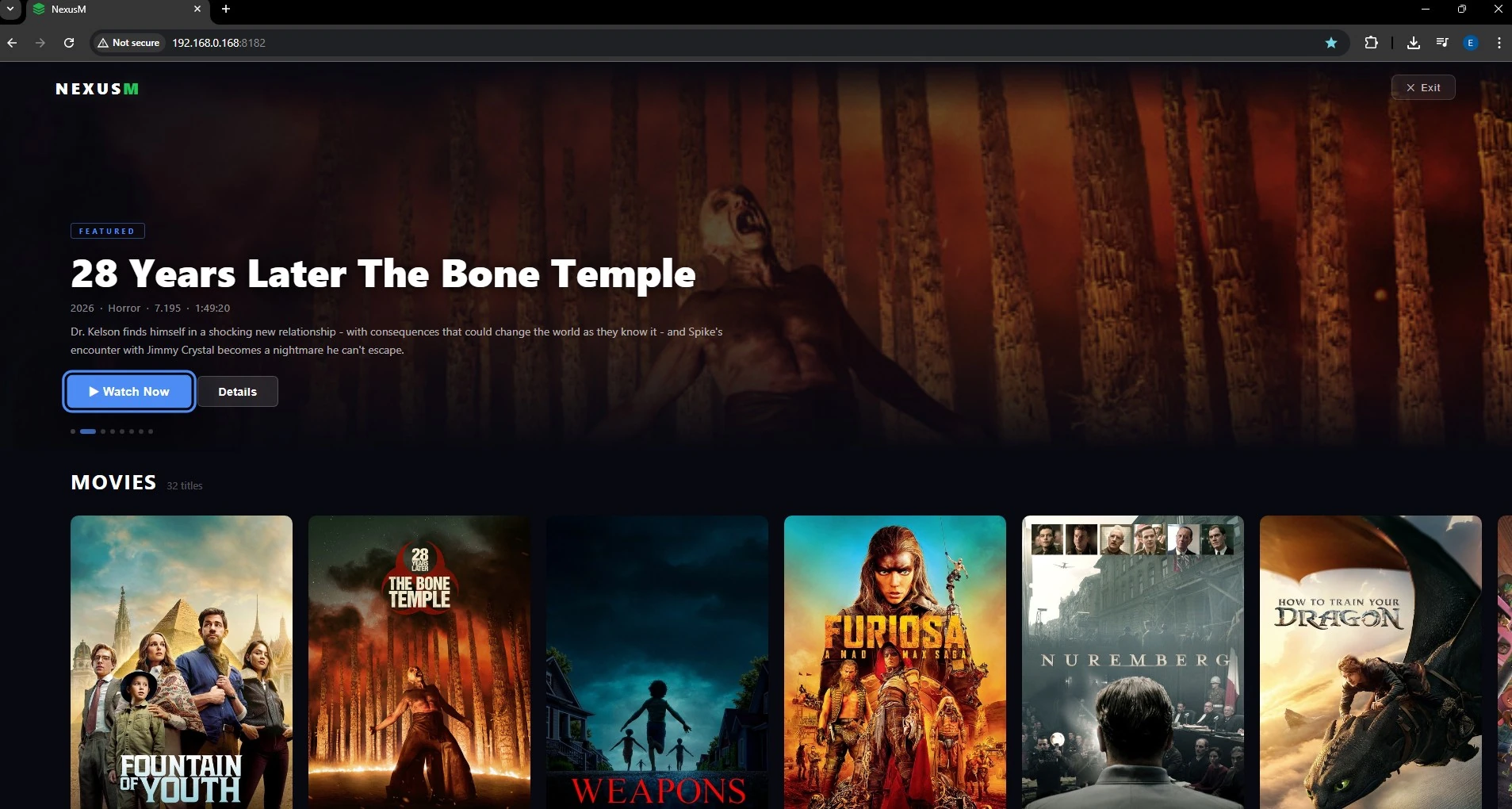
Turn any browser tab into a full-screen TV experience
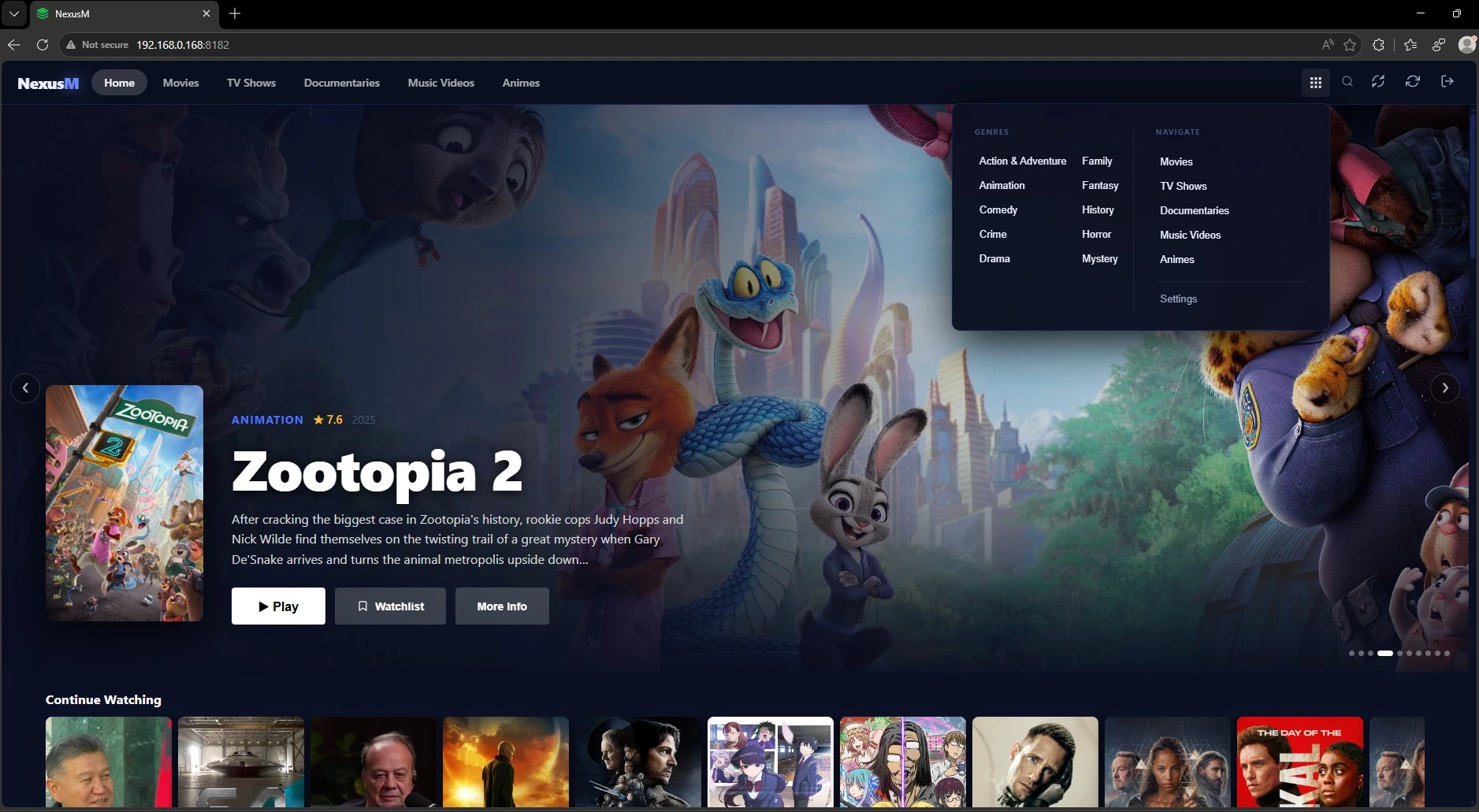
Go Big Mode transforms NexusM into a lean-back, remote-friendly interface: hero carousels, detail panels and full-screen playback, all navigable without a mouse.
- Hero carousel with backdrop art for films, series and documentaries
- Keyboard navigation: arrow keys, Enter, Escape and F for full screen
- Auto-hiding controls for a clean 10-foot viewing experience
- Open NexusM on your phone and it becomes a touch remote, with no app to install
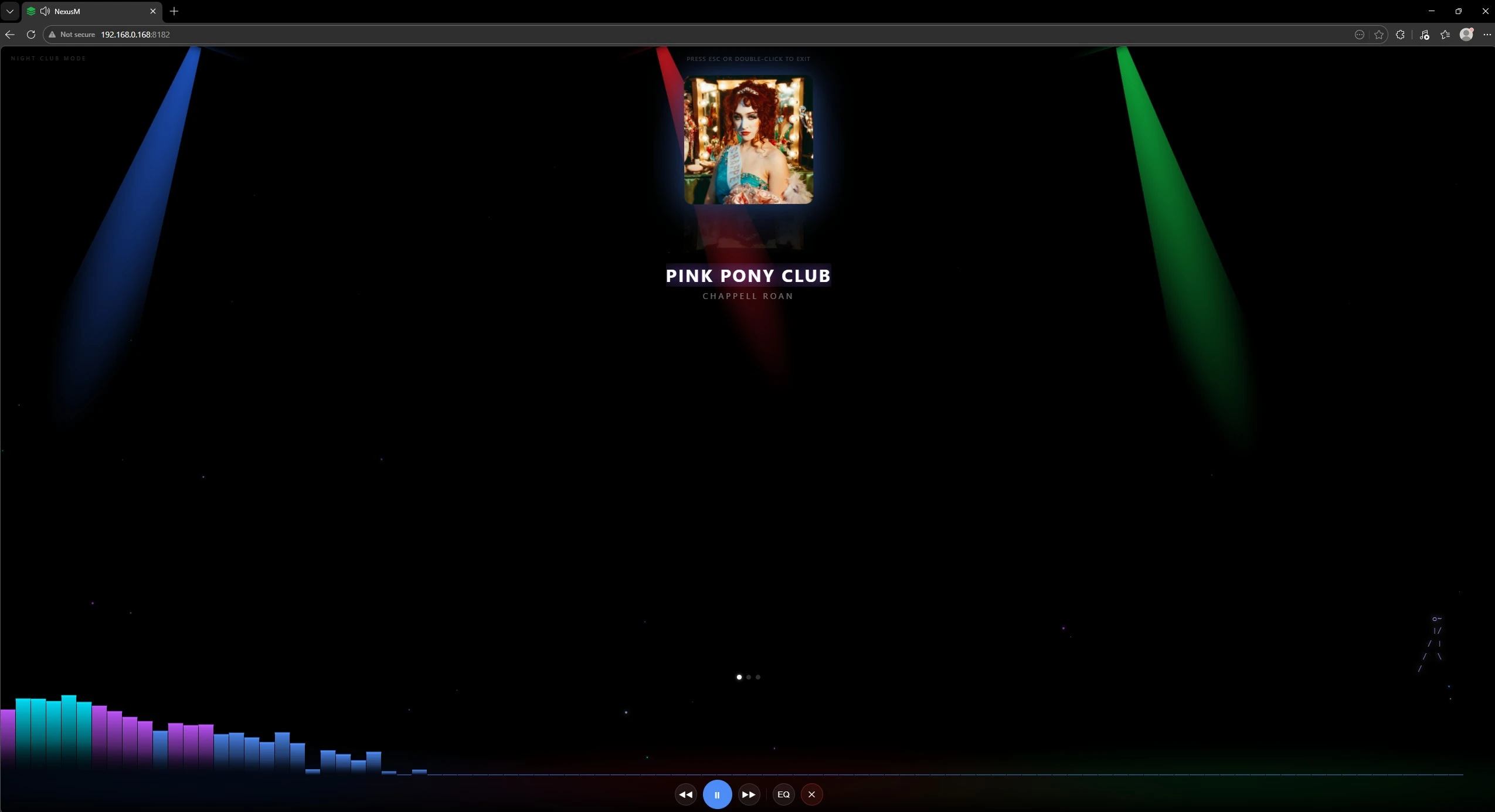
A full-page music visualiser with animated light beams
Party mode for the living room. Nightclub Mode fills the screen with a canvas visualiser, pulsing album art and animated light rays while your playlist shuffles in the background.
- Canvas audio visualiser with colour-shifting beams
- Large album art display with smooth cross-fade
- Shuffles the whole playlist; press F for true full screen
- Launches from the Go Big grid or from any music playlist
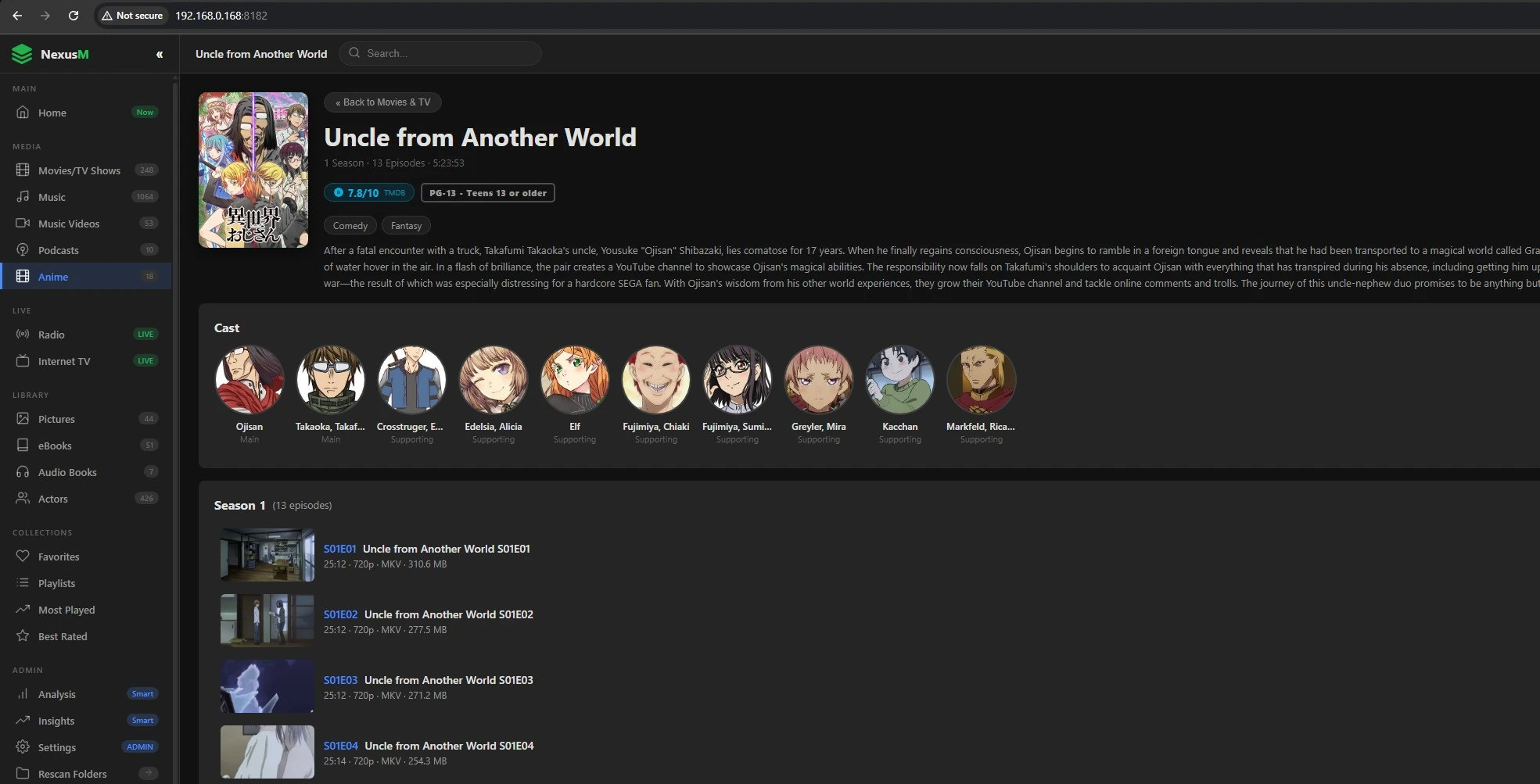
A full anime library with MyAnimeList metadata and episode navigation
A dedicated anime section powered by the Jikan API. Series are grouped automatically from your files, one card per show, with artwork, ratings and synopsis fetched on scan. No API key required.
- Automatic series grouping, one card per show
- Poster art, synopsis, genres, score and age rating from MyAnimeList
- Previous and next episode navigation with a 10-second autoplay countdown
- Character artwork cached locally for each series
- Understands standard file names and common fansub patterns
- Separate scan and folder configuration, kept apart from movies and TV
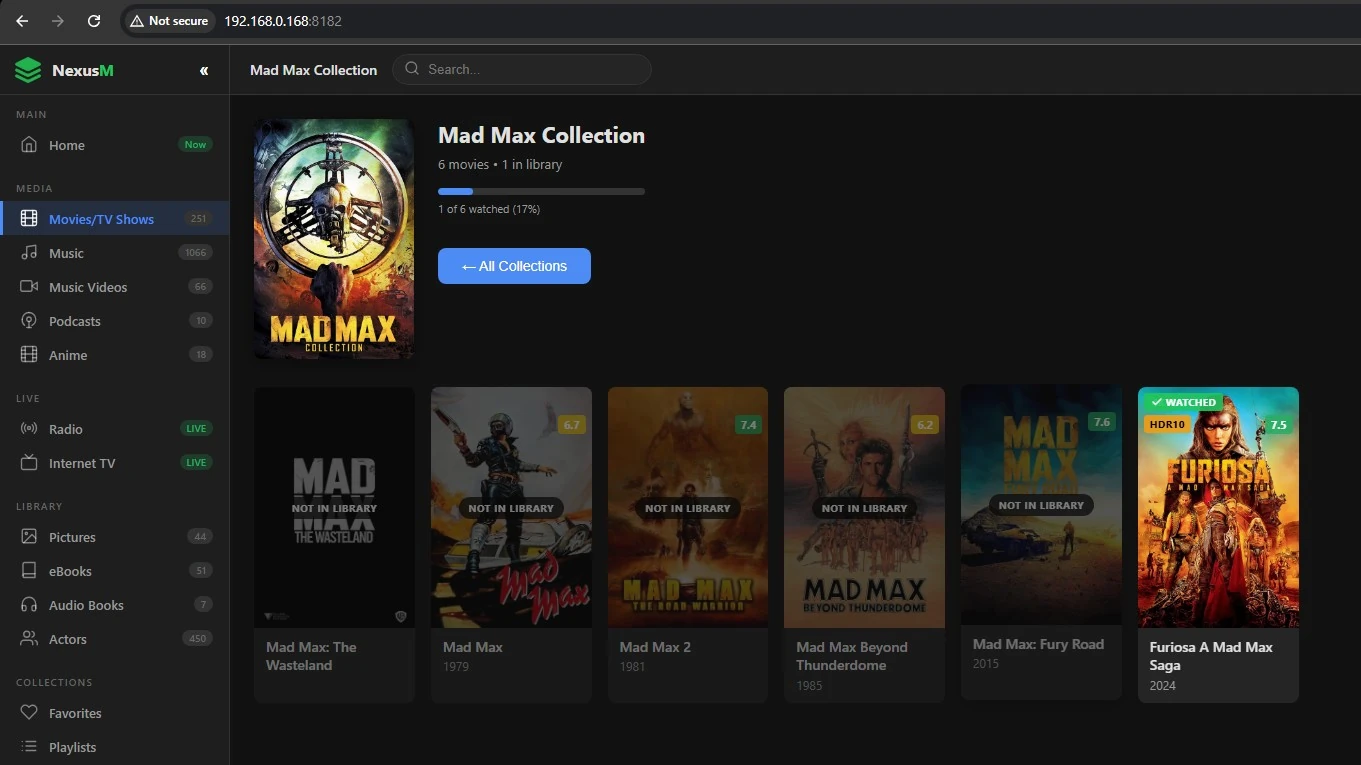
Films grouped into the sagas they belong to
NexusM uses TMDB collection data to group films into franchises automatically. Instead of a flat list, your library shows one card per saga with every entry in chronological order.
- Franchise detection happens during the metadata fetch, with no manual tagging
- One card per franchise, with an entry-count badge
- Chronological ordering inside each collection
- Switch between collection view and the flat list at any time
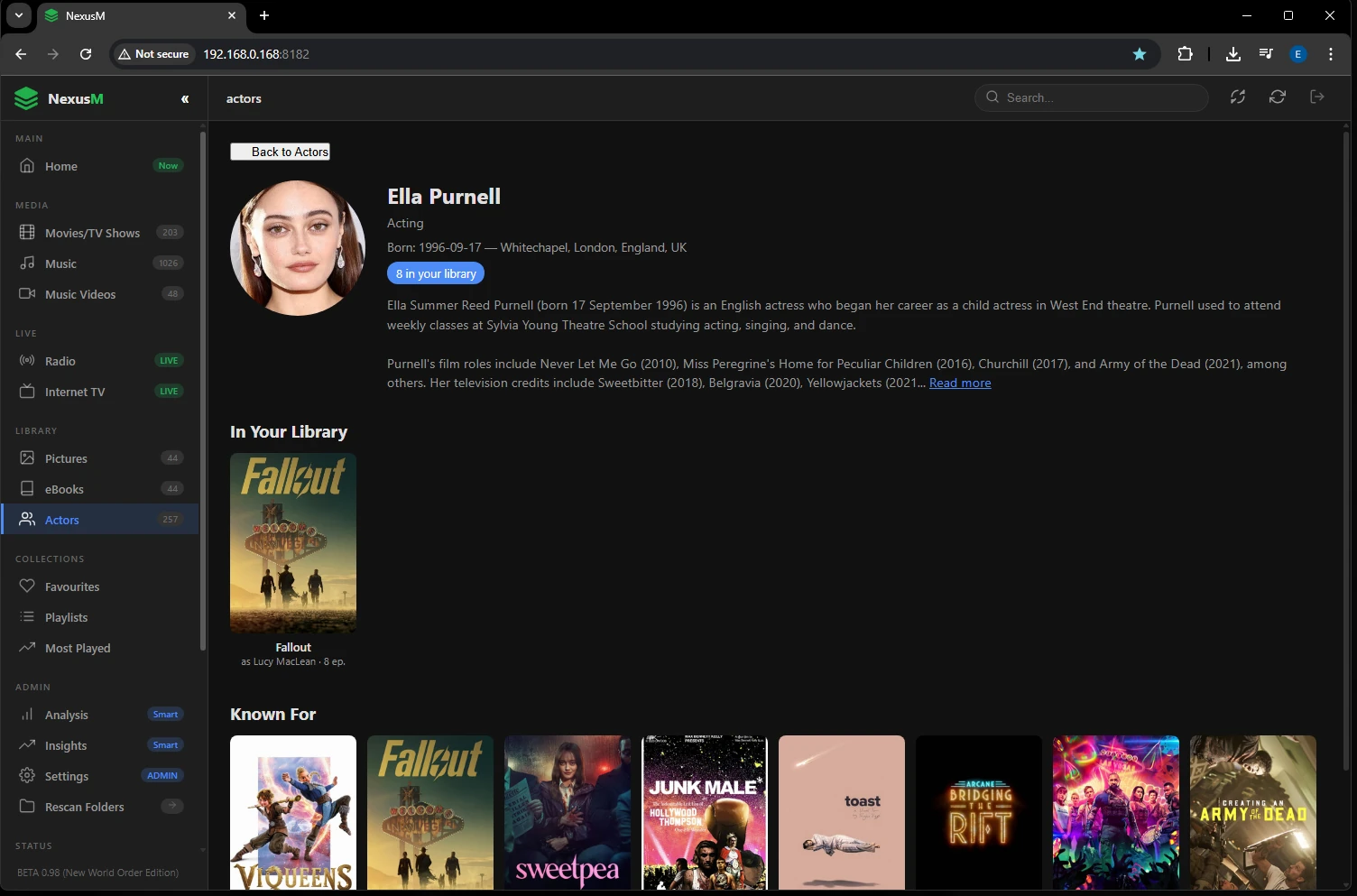
Know your cast, with profiles built from your own library
Every actor gets a profile with a biography, birth date, known-for filmography and a direct link to everything they appear in within your collection.
- Full biography and filmography from TMDB
- Direct links to every title they star in on your server
- High-resolution portraits fetched automatically
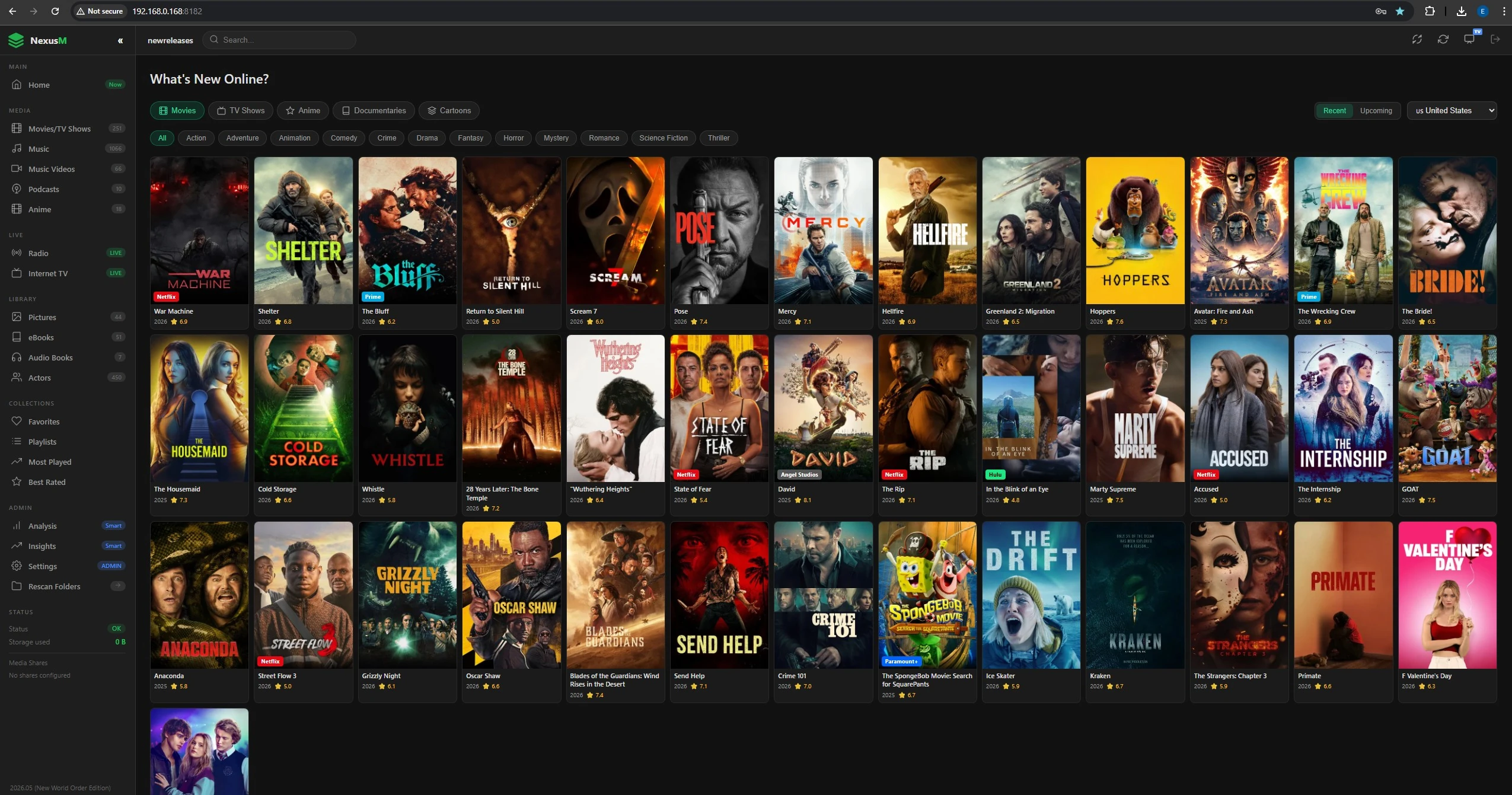
Discover what is new and what is coming, without leaving your server
A discovery page powered by TMDB showing recent and upcoming releases across films, TV, anime, documentaries and cartoons, filtered by your country and genre.
- Recent (last 90 days) or upcoming releases in five categories
- Streaming provider badges for your country
- Country and genre filters with local-language titles
- Find in Library checks instantly whether you already have a title
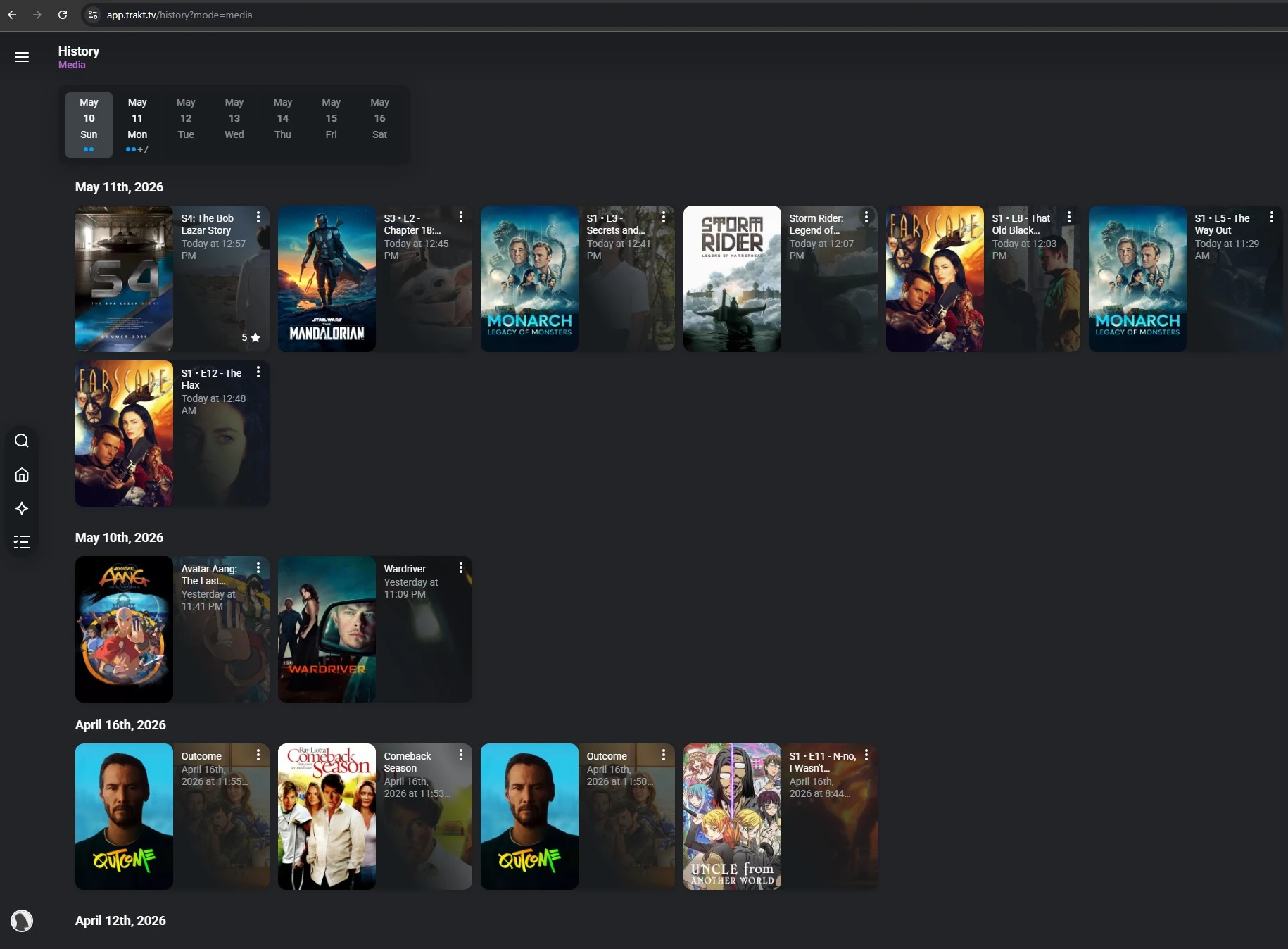
Automatic scrobbling, with no browser extension in sight
NexusM integrates natively with the main media-tracking services. Watch a film, follow a series or play an album and it is scrobbled automatically, with no third-party app and no manual logging.
- Trakt.tv: films and episodes scrobbled as you watch
- Last.fm: every track scrobbled in real time to build your charts
- ListenBrainz: open listening history with no paywall
- Now Playing support, so services show what you are watching as it happens
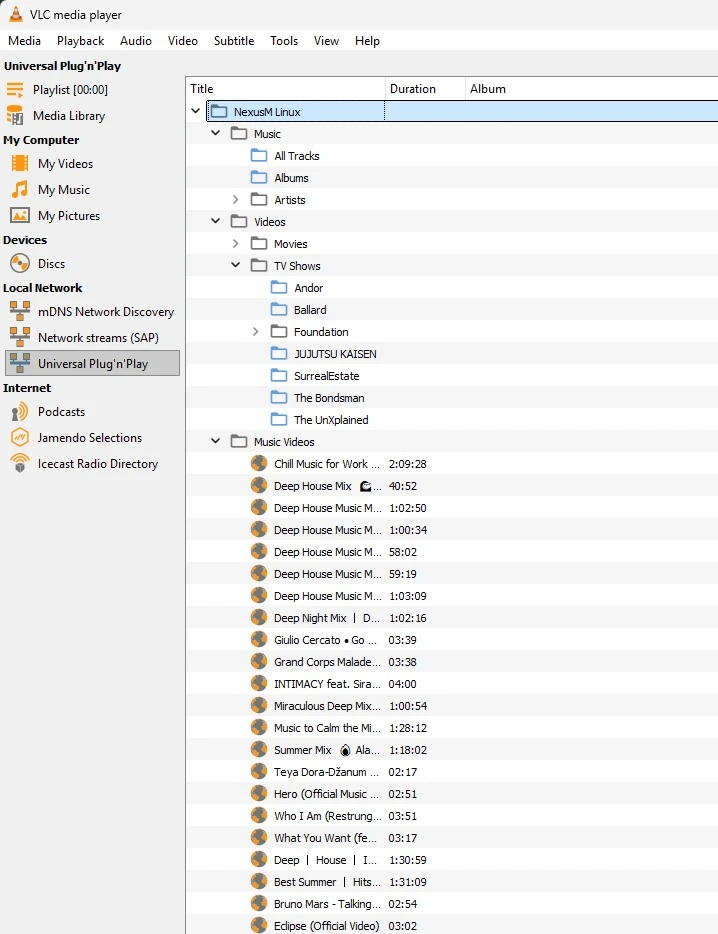
A built-in DLNA server for smart TVs, VLC and Roku
NexusM announces itself as a UPnP MediaServer on your local network, so any DLNA client can discover and browse your library without extra software.
- Auto-discovery over SSDP; NexusM appears in the client device list
- Browse music by track, album or artist, plus movies, TV, music videos and anime
- Byte-range seeking in MP4 and MKV from the DLNA client
- LAN-only, with a configurable friendly name and a single on/off toggle
Seven interface templates, or write your own
Pick from seven built-in templates in Settings, or drop your own CSS and JavaScript into the templates folder for a completely custom look. No rebuild required.
- Default: the standard NexusM sidebar layout with several accent colours
- Horizon: warm amber layout with a top navigation bar and a cinematic player
- Amazing!: wide hero banner and horizontally scrolling genre rows
- Jellyfish: deep black backgrounds with a teal-blue accent
- YablakoTV: soft light layout with pastel tones and rounded cards
- Plux!: warm charcoal with an amber-orange accent
- Netflux: Netflix-inspired dark layout with a signature red accent on a near-black background, wide hero banners and genre rows
- Custom: add style.css and script.js under wwwroot/templates/YourTemplate/
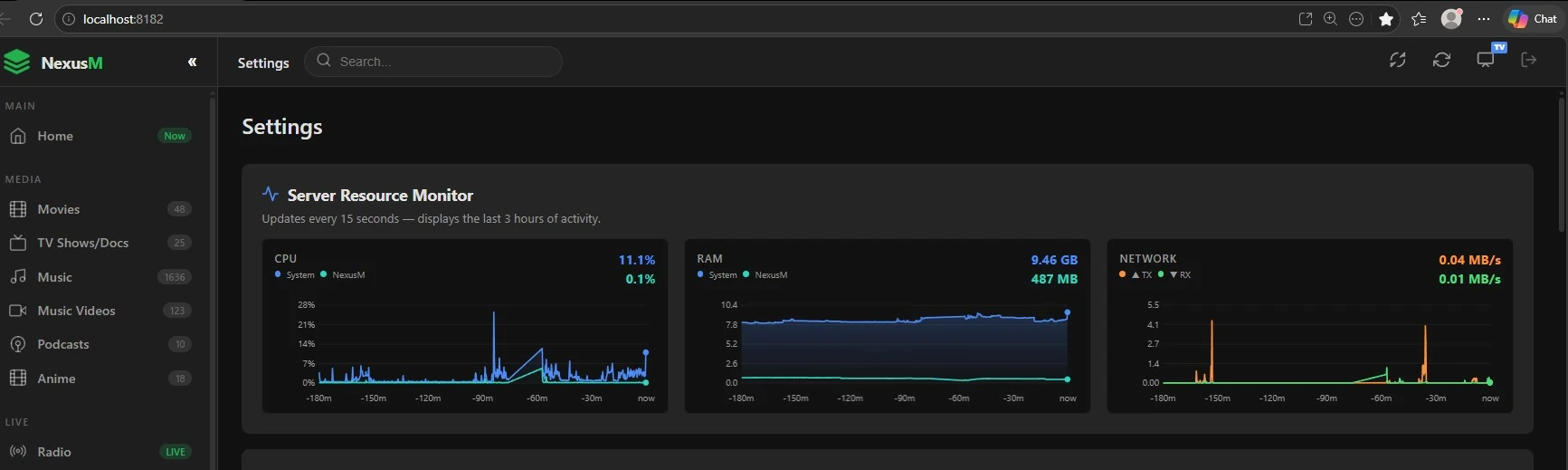
Real-time CPU, RAM and network monitoring in Settings
A built-in resource monitor refreshes every 15 seconds and keeps the last three hours of activity, so you can see what transcoding actually costs. No agent, no third-party tool.
- CPU: total system usage alongside the NexusM process share
- RAM: system memory and the NexusM footprint, in GB
- Network: transmit and receive bandwidth in MB/s
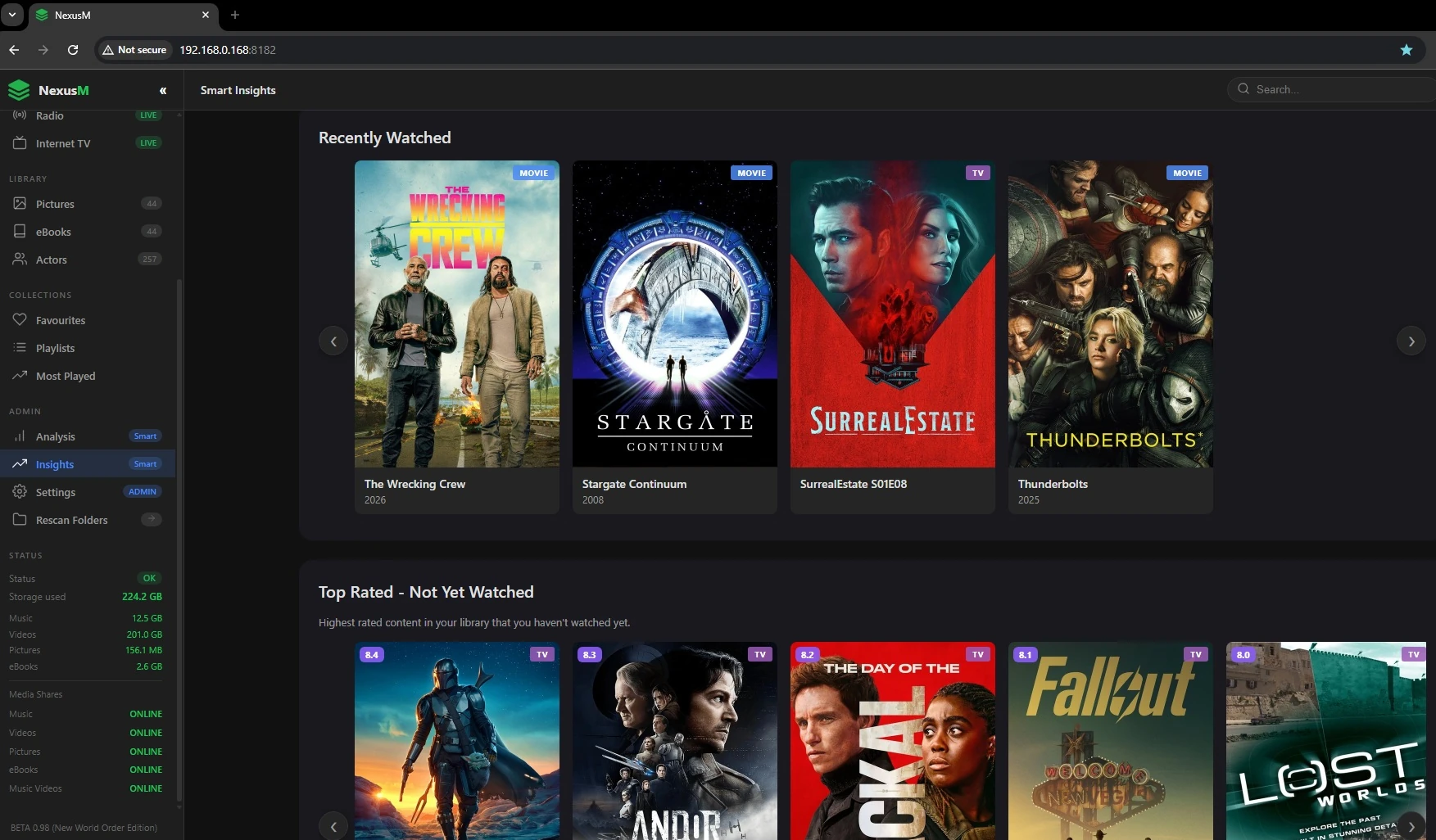
Insights into your entire media library
What you have finished, which genres you actually watch, and what to play next, including a mood selector that suggests titles to match.
- Mood selector that recommends content to match how you feel
- Highest-rated titles you have not watched yet
- Viewing statistics across your whole library
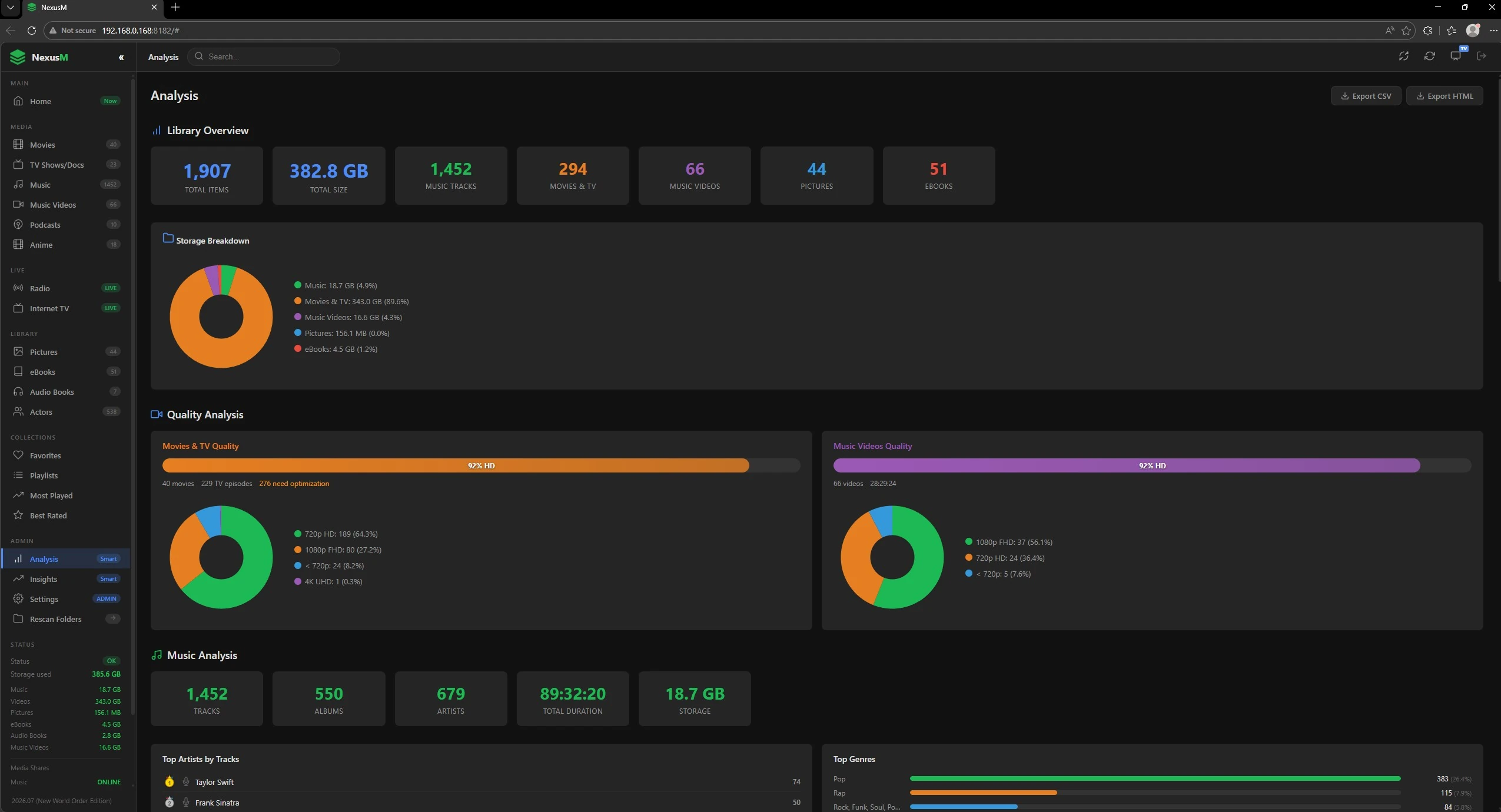
A full overview of what is actually on your disks
Storage breakdown, quality analysis and music statistics, so you can find the low-bitrate files, the duplicated formats and the gaps in your metadata.
- Top artists by track count, top genres, audio formats and bitrates
- Film and TV analysis by format, codec and genre
- Music video analysis by artist and format
A browser-based retro games library, no emulator to install
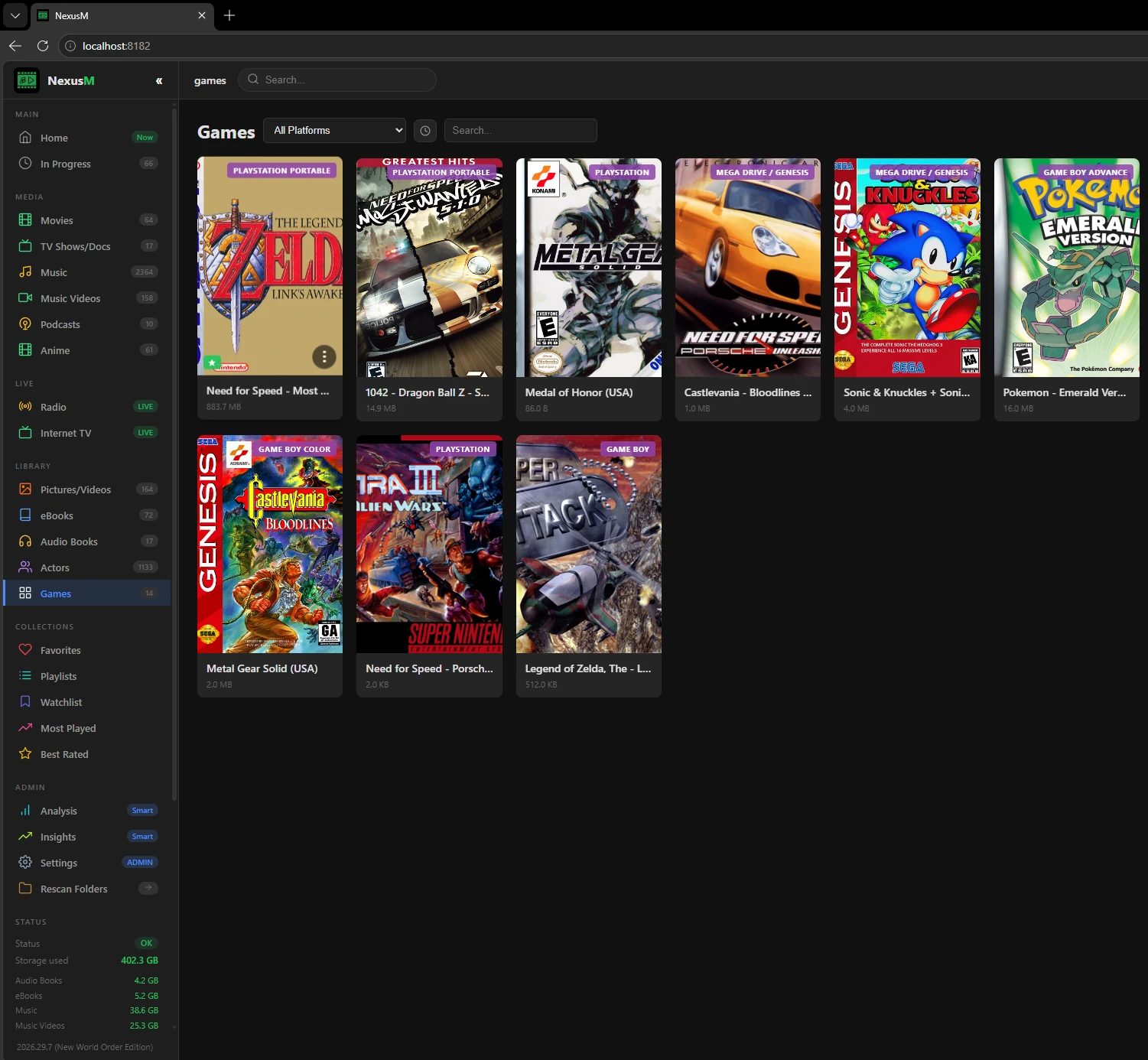
NexusM can host and play your ROM collection in the browser through EmulatorJS, right alongside your films, shows and music.
- Browse your games by platform, with cover art and an All Platforms filter
- Play instantly in the browser through EmulatorJS: nothing to install locally
- Search your whole games library from the sidebar
- Its own Games section in the library sidebar, with your collection's item count
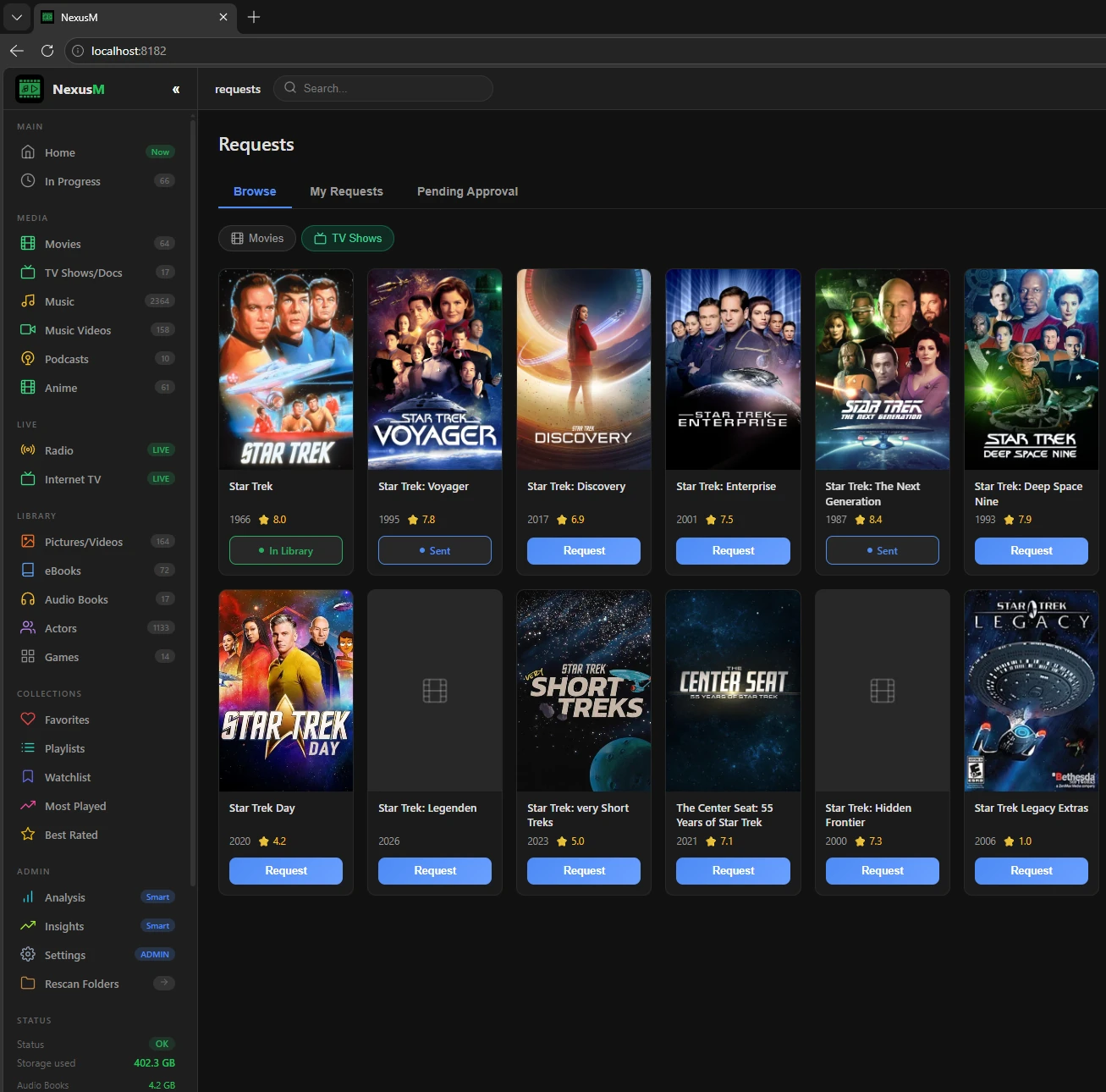
Let people request what is missing, fulfilled automatically
A built-in Requests page lets users browse what your library is missing and ask for it. Approved requests go straight to Radarr and Sonarr, with no separate request app to install.
- Browse and request missing films and TV shows from inside NexusM
- Titles you already have show "In Library"; requests already sent show "Sent"
- Native Radarr and Sonarr integration: no Overseerr, Ombi or Jellyseerr required
- My Requests and Pending Approval tabs track what was asked for and what still needs a decision
Two extra music players built right into the web interface
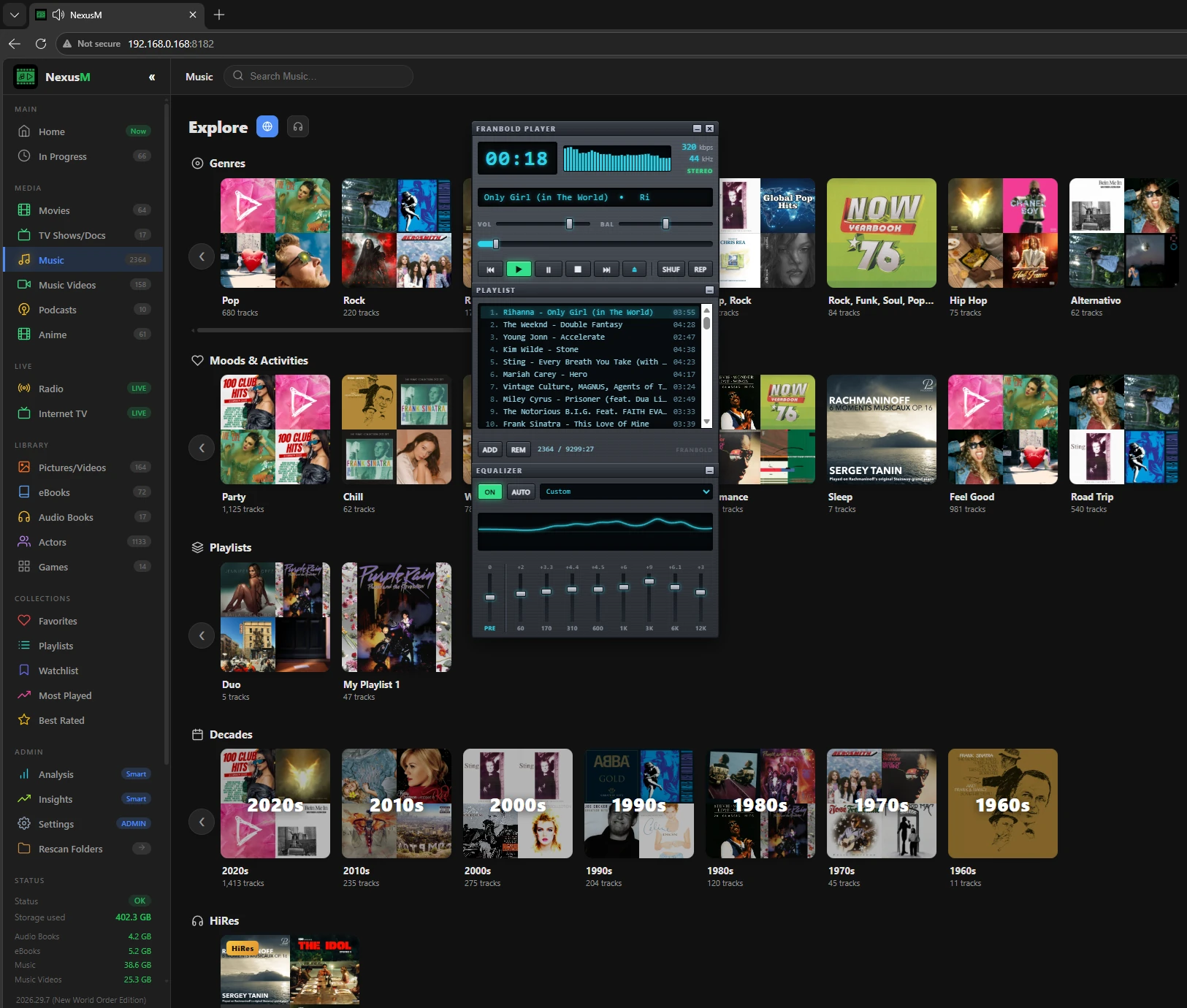
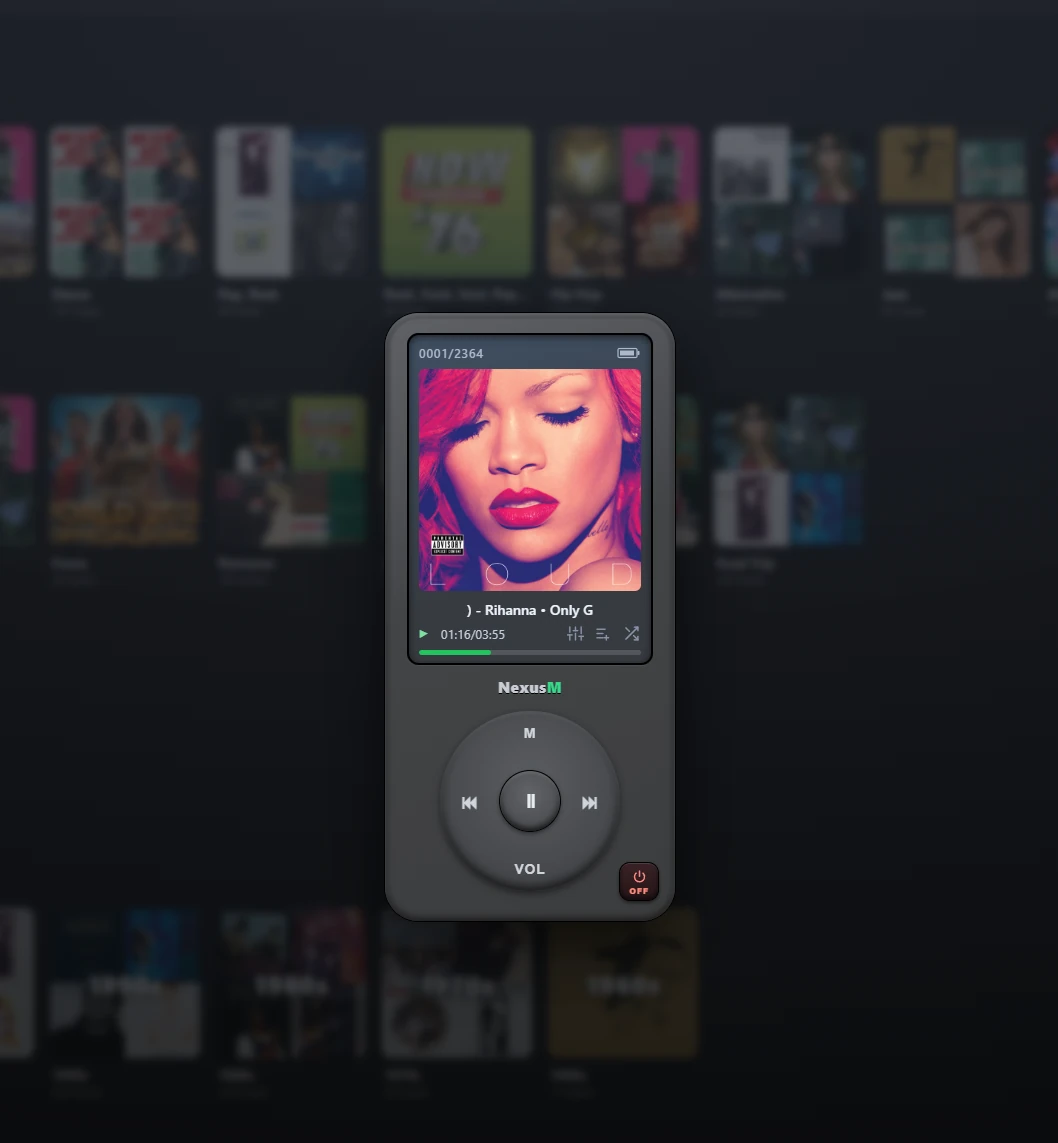
Beyond the standard library view, NexusM ships two alternate music players you can open without leaving the browser: Pocket Player, a pocket-MP3-player-style mini player, and FranBold Player, a desktop-style player with its own playlist and equaliser.
- Pocket Player: a compact MP3-player-style skin with transport controls, a battery icon and a track counter
- FranBold Player: a desktop-style player with a playlist panel, live bitrate and sample-rate display, and a built-in graphic equaliser
- Both run inside the existing NexusM tab: no separate app, no extra sign-in, no plugin to install
- Switch back to the standard library view at any time; playback carries over
The engine behind the interface
NexusM is a single ASP.NET Core service with an SQLite database. There is no message broker, no external cache and no container orchestration to learn.
Modern web interface
A responsive interface served by ASP.NET Core with the Kestrel web server: fast, lightweight and identical on every platform.
SQLite database
All metadata, search indexes and library information live in a single SQLite file managed through Entity Framework Core.
TMDB metadata
Posters, backdrops, ratings, genres, cast and summaries fetched from The Movie Database and cached locally.
FFmpeg transcoding
Real-time transcoding with a REMUX path that avoids re-encoding, plus NVENC, Quick Sync and AMF hardware acceleration.
Album artwork extraction
Embedded cover art is pulled out of MP3 and FLAC files during the scan and shown throughout the music library.
Internet radio
A built-in player with more than 70 curated stations from around the world, including BBC and NPR.
Async streaming
The .NET async pipeline handles concurrent playback, so several people can watch different files at the same time.
Full-text search
Search across films, series, music, books and podcasts, with ReplayGain-aware playback and automatically generated playlists.
Ready to try it?
Download the current release for Windows, Linux, Docker or Android TV.